Go live from a small studio and stay on top of the hour
Milkwood shows you what's on air at a glance, takes callers from a link and puts your beds and idents on real keys.
Live radio doesn't give you a second take
It's 7:40 and the phone-in is next. Your caller is on a phone propped against a mic because the station never bought a hybrid, and he's hearing himself come back with a delay.
The bed is still running under the headlines while you hunt for the right window with the mouse. Your listeners hear all of it as it happens, and there's no edit afterwards to save you.
Here's the same hour on Milkwood
Keep the rundown next to the faders
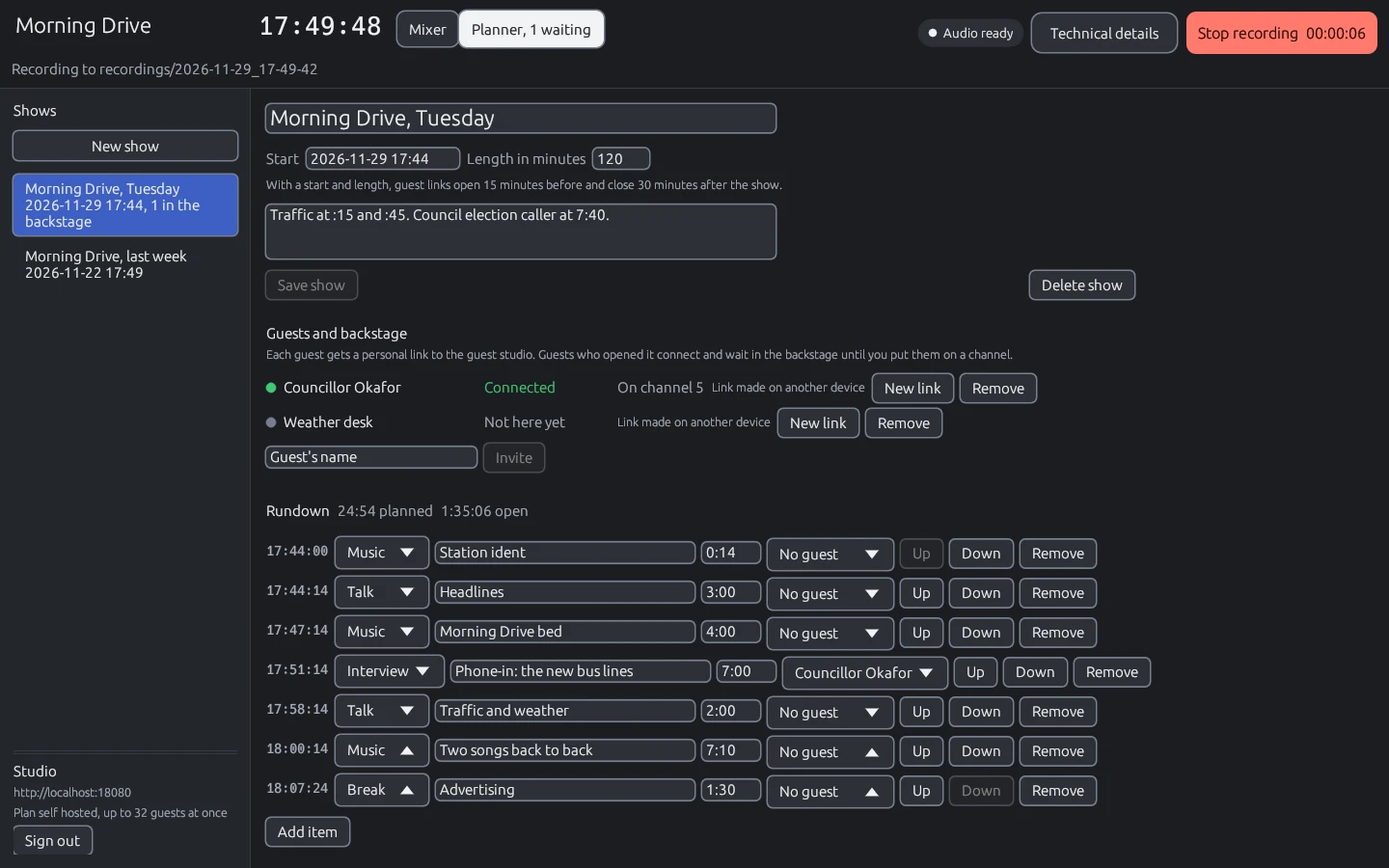
Put in the headlines, the bed, the phone-in, traffic, two songs and the ad break, and give each item a length. Milkwood works out the clock times and shows you how much of the hour is still open.
The caller's name sits on the item he belongs to, and the planner is one click away from the mixer.
See what's live without thinking about it
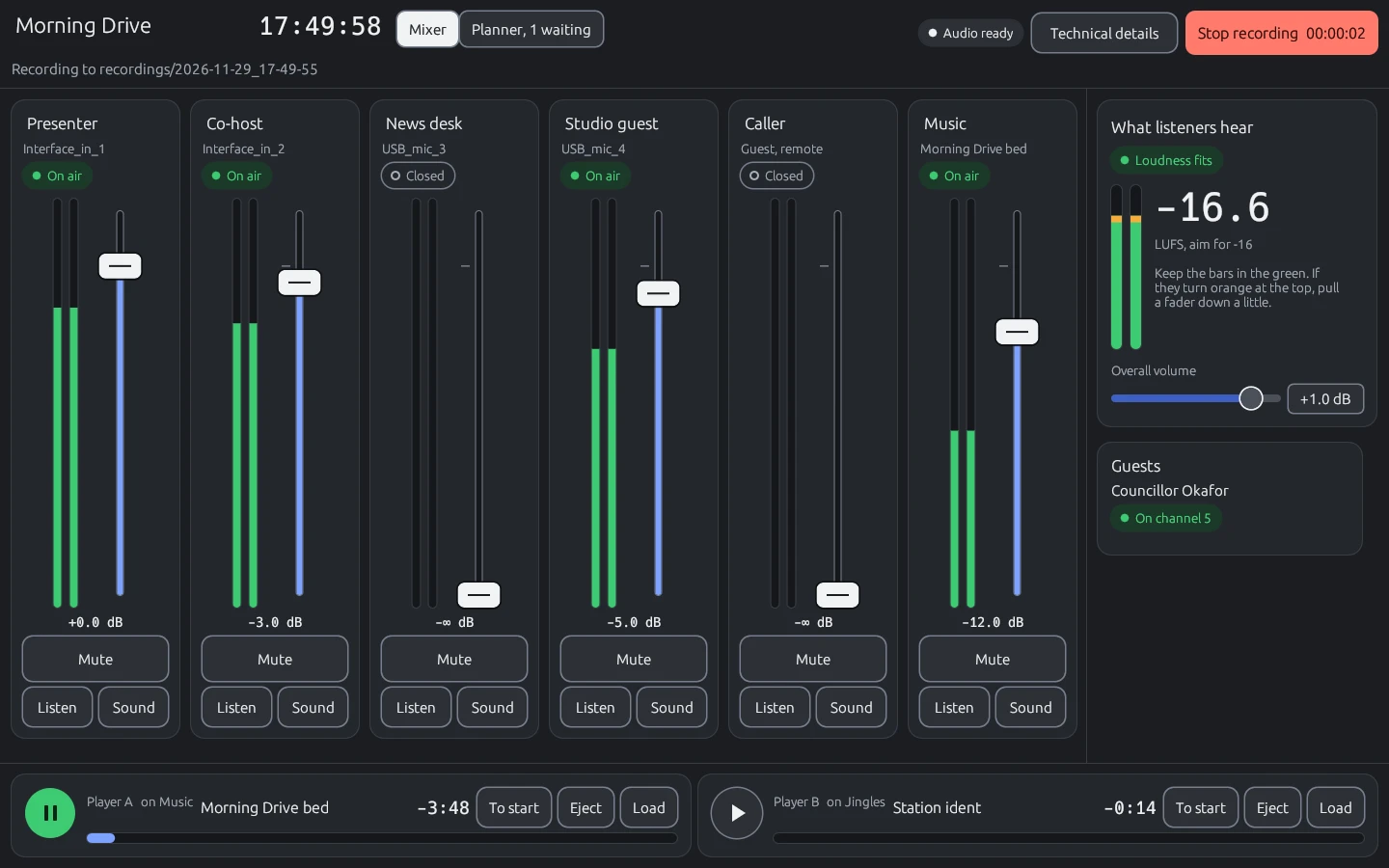
Every channel carries a label that says On air, Closed or Muted. A channel is on air when its fader is up and it isn't muted, and a guest's on-air lamp follows exactly the same rule.
Listen is your PFL. It puts one channel on your headphones before the fader, and your listeners don't hear a thing.
Take a caller without a phone hybrid
The councillor opens his link on his phone and waits backstage. You bring him onto a channel and leave the fader down, and he hears the show the whole time, so he knows when he's up.
Milkwood builds his mix-minus for you, which is the job a hybrid and a spare bus used to do. Check his line on Listen, then open the fader.
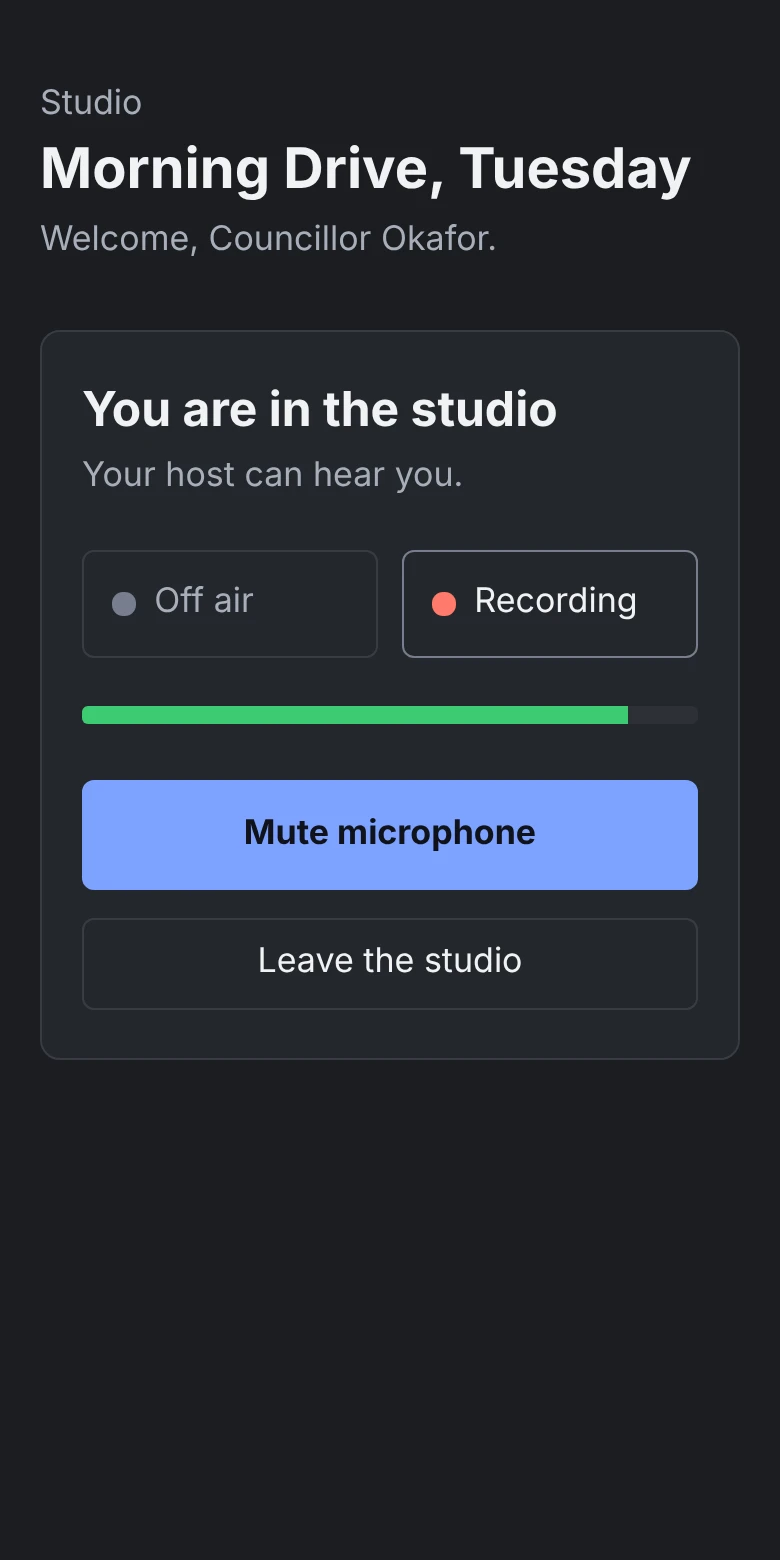
This is what your caller sees while he waits. He's connected and off air, and he can see that you're recording.
Fire beds and idents from two players
Load a bed into Player A and your ident into Player B. If you put a player on a channel it behaves like any other source, with a fader, Mute and a meter.
If you leave it off the channels it plays straight to air. Either way the time left counts down next to the title, and you can click into the bar to jump.
Work the show from a Stream Deck
Plug in a Stream Deck and Milkwood lights it up with Mute and Listen for each channel, start and stop for the players, and Record. The keys show the state the mixer is in, and on a Stream Deck + the dials work as faders.
You don't have to configure anything, and you don't need Elgato's software running.
| Deck | Top row | Middle | Bottom row |
|---|---|---|---|
| 15 keys | Mute 1 to 5 | Listen 1 to 5 | Page back, page forward, Player A, Player B, Record |
| Stream Deck + | Mute 1 to 4 | Dials work as faders, press to mute | Page back, page forward, Player A, Record |
Keep the whole show and every channel
One press records the program and each channel as a separate file, stamped with the time of day. When you want a highlight for the website later, you can cut the interview without the bed under it.
What you'll use most
- A clear on-air label on every channel
- Callers and reporters from a link, with their mix-minus built for you
- Two players that show the time left
- Stream Deck keys and dials
- A rundown with clock times
- A limiter and a loudness target on the program
- Up to 16 extra buses for headphones and feeds
Not there yet
- Playlists and automatic start of the next title, because Milkwood doesn't do playout automation
- A built-in stream encoder, so your encoder still takes the program from the audio output
- Callers by ordinary phone call
- Talkback to guests and between rooms
- Your own Stream Deck layout
Run your next live hour on Milkwood
Milkwood is free and open source, and the code is on GitHub for you to read, run and change.