Record the conversation and let Milkwood look after the sound
Milkwood sets up each voice, keeps an eye on the loudness and records everyone on a separate track, so you can pay attention to your guest.
If you've edited a podcast, you know this one
You're forty minutes into a great interview when you notice your co-host has drifted off-mic and your guest's laptop fan is in every pause. Everyone's on one stereo file, so when somebody coughs over the best answer there's nothing you can cut.
You end up spending the evening on leveling and noise reduction when you wanted to publish. Even then it doesn't sound like the shows you listen to yourself.
Here's the same episode on Milkwood
Plan the episode and invite your guest
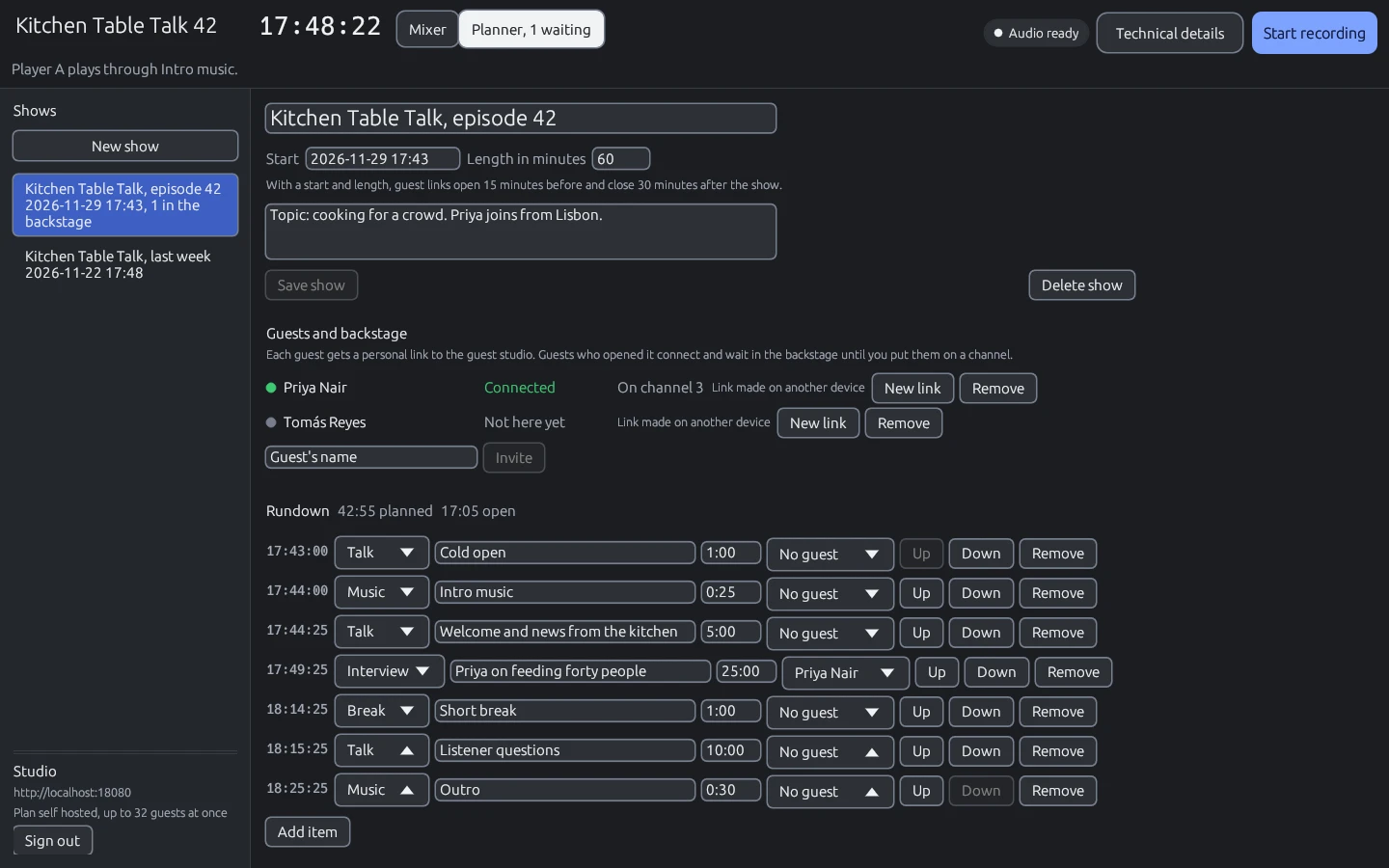
Give the episode a start time and a length, write the rundown and type in your guest's name. Milkwood makes her a personal link.
The link opens fifteen minutes before the episode and closes half an hour after it, so an old invitation can't be used to wander into your next recording.
Your guest shows up on her phone
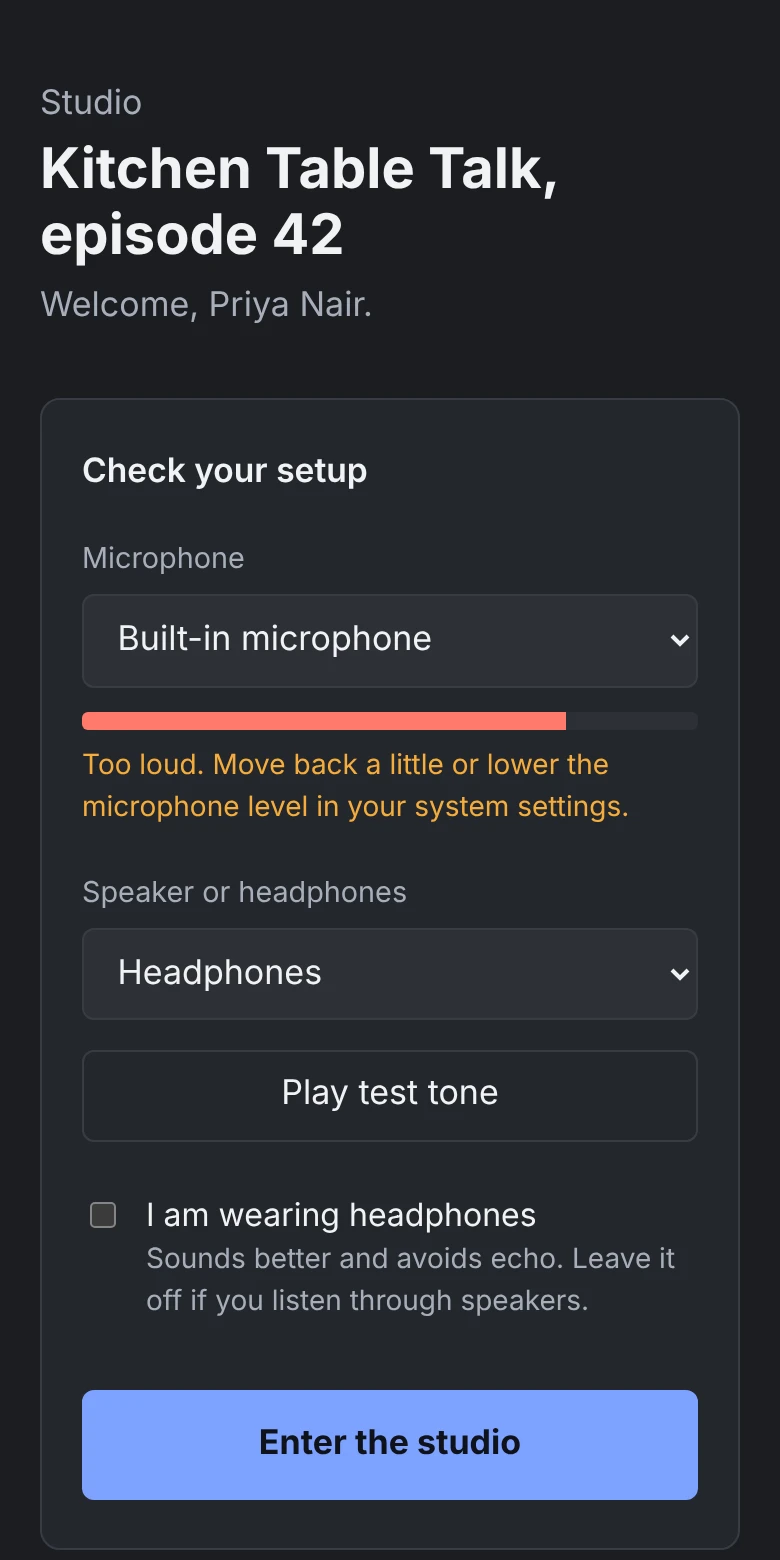
Priya taps the link and her browser asks for the microphone. She sees her level, gets a warning if she's too loud, and can play a test tone to check her headphones.
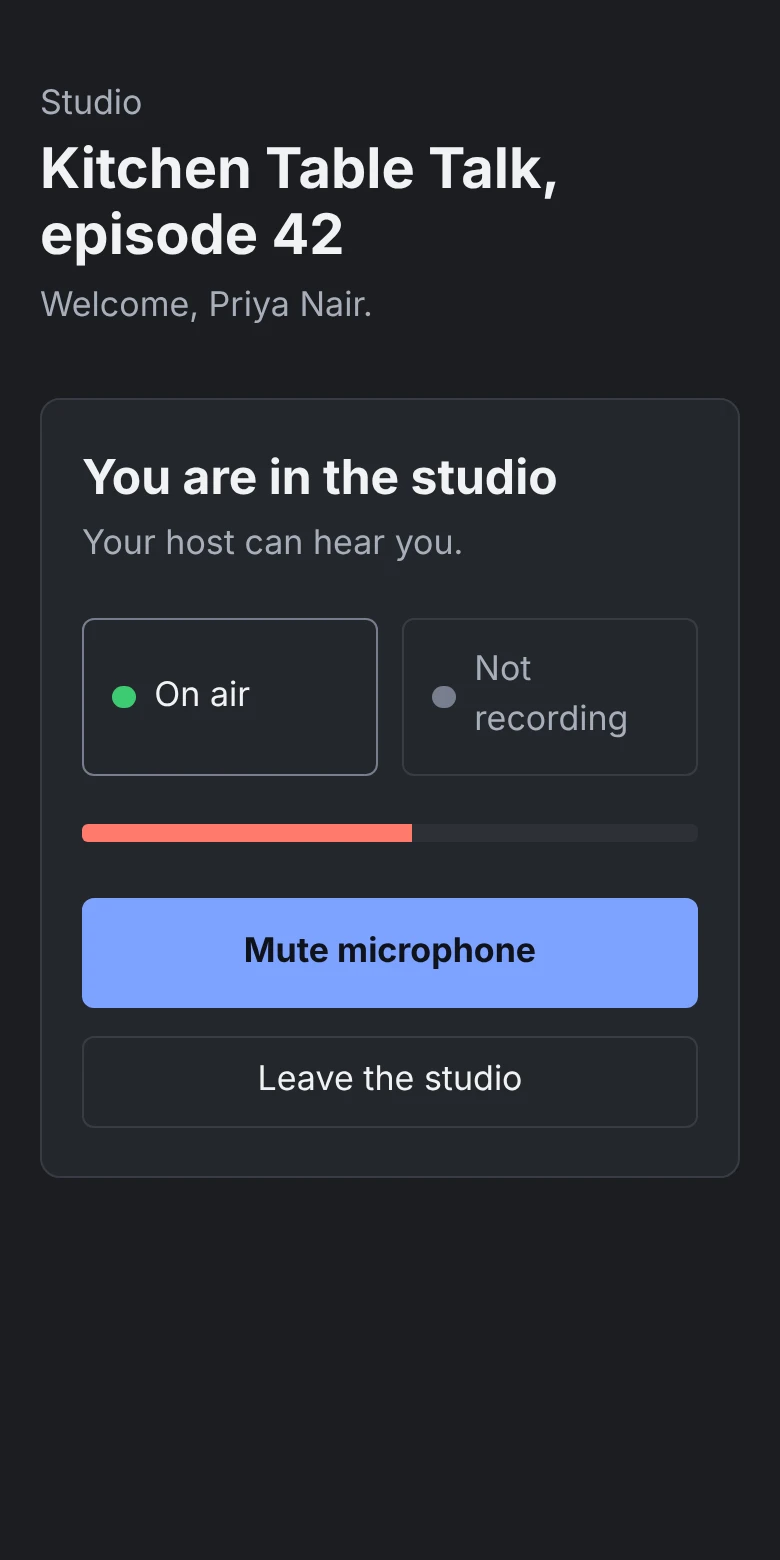
She doesn't need an account or an app. She waits backstage, where you can see her name in the mixer, until you bring her onto a channel.
Run a soundcheck for each voice
Each of you talks for nine seconds and then stays quiet for three. Milkwood sets the gain, tone and dynamics for that voice on that mic.
If something's off it tells you what, whether that's a level that's too low, clipping, mains hum or a noisy room.
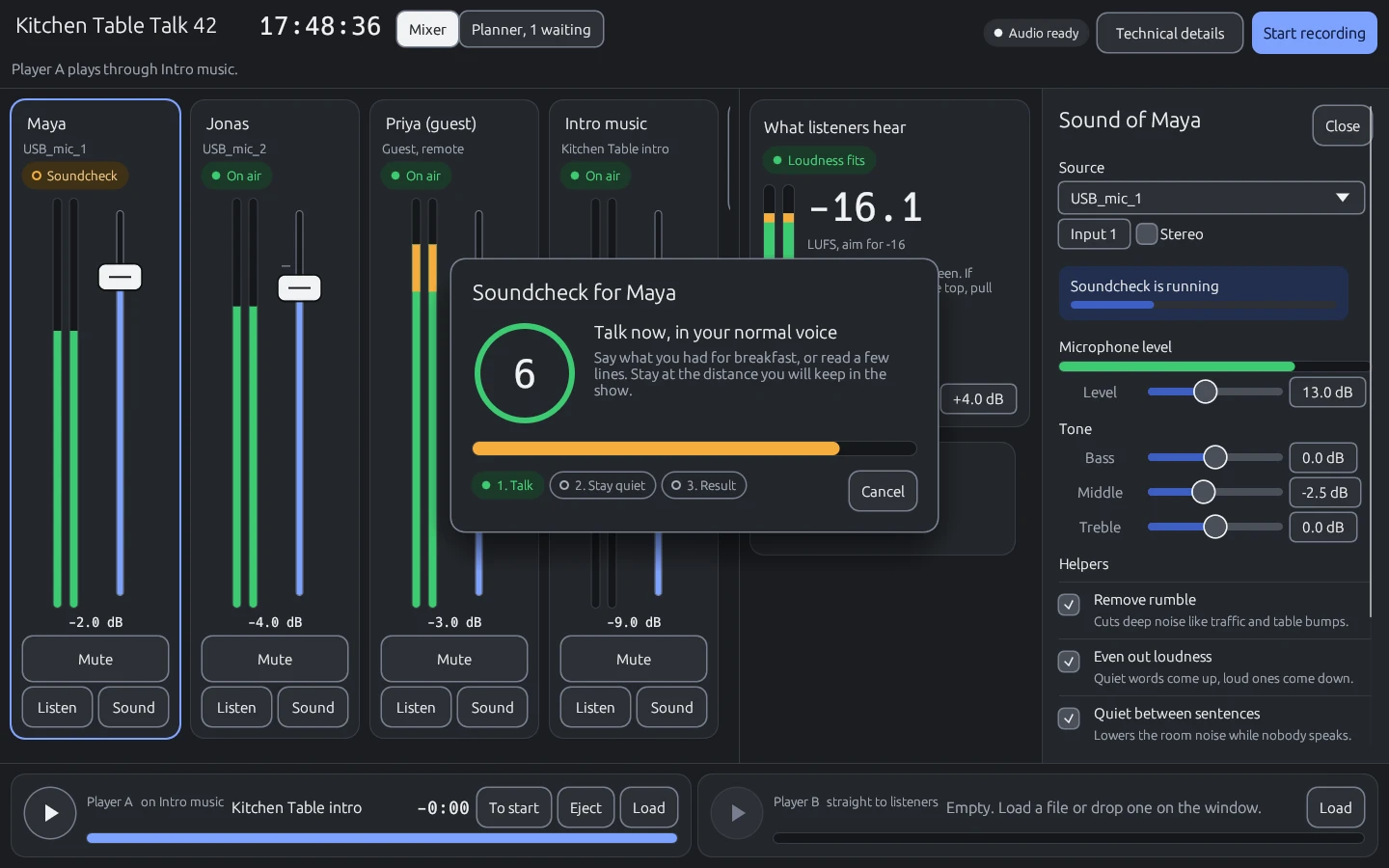
Keep an eye on one number
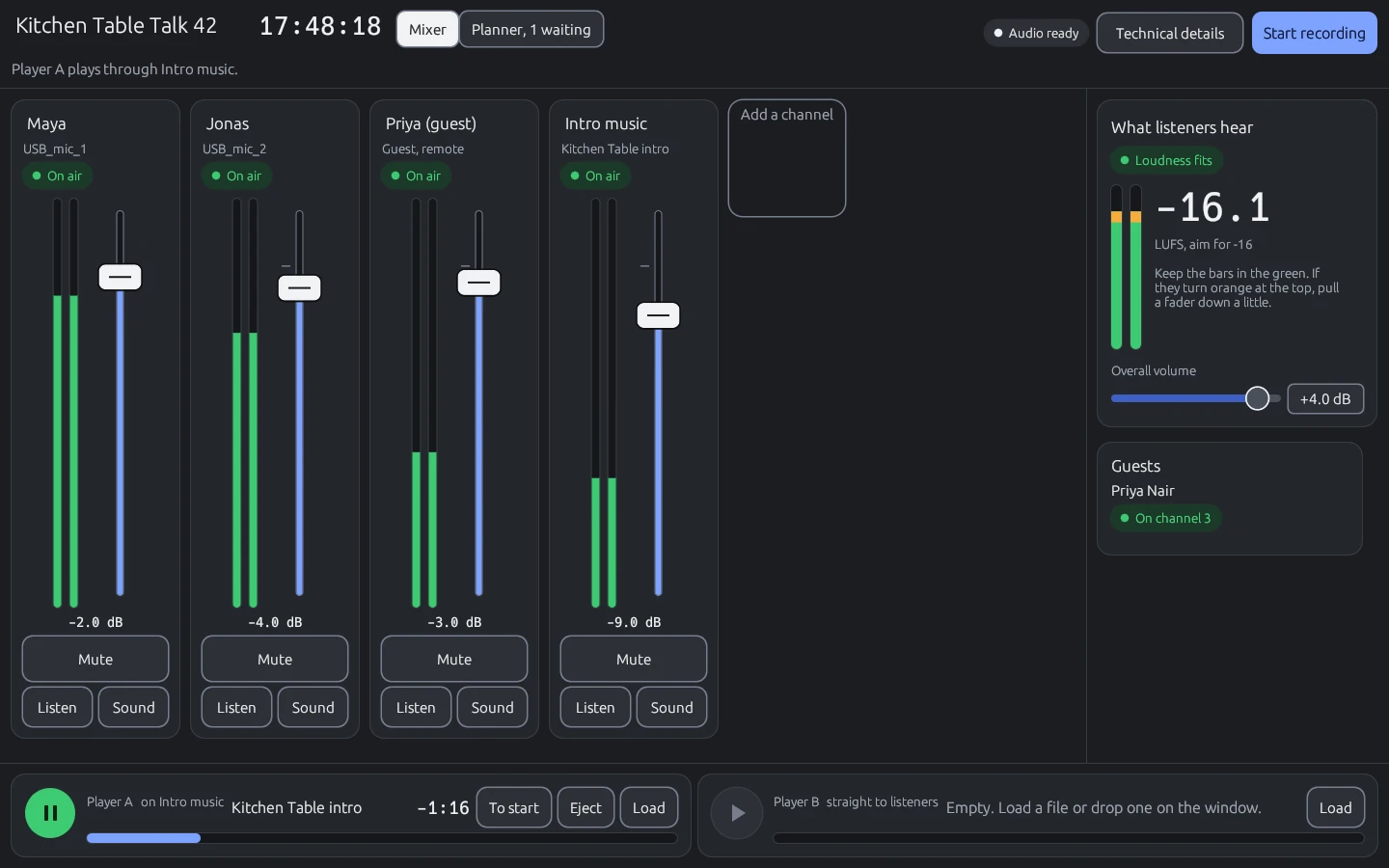
The loudness your listeners will hear sits on the right, next to its target. As long as the bars stay in the green you're fine, and a limiter catches the moment someone laughs straight into the mic.
The intro plays from one of the two players. Priya hears all of you and the music, but never her own voice.
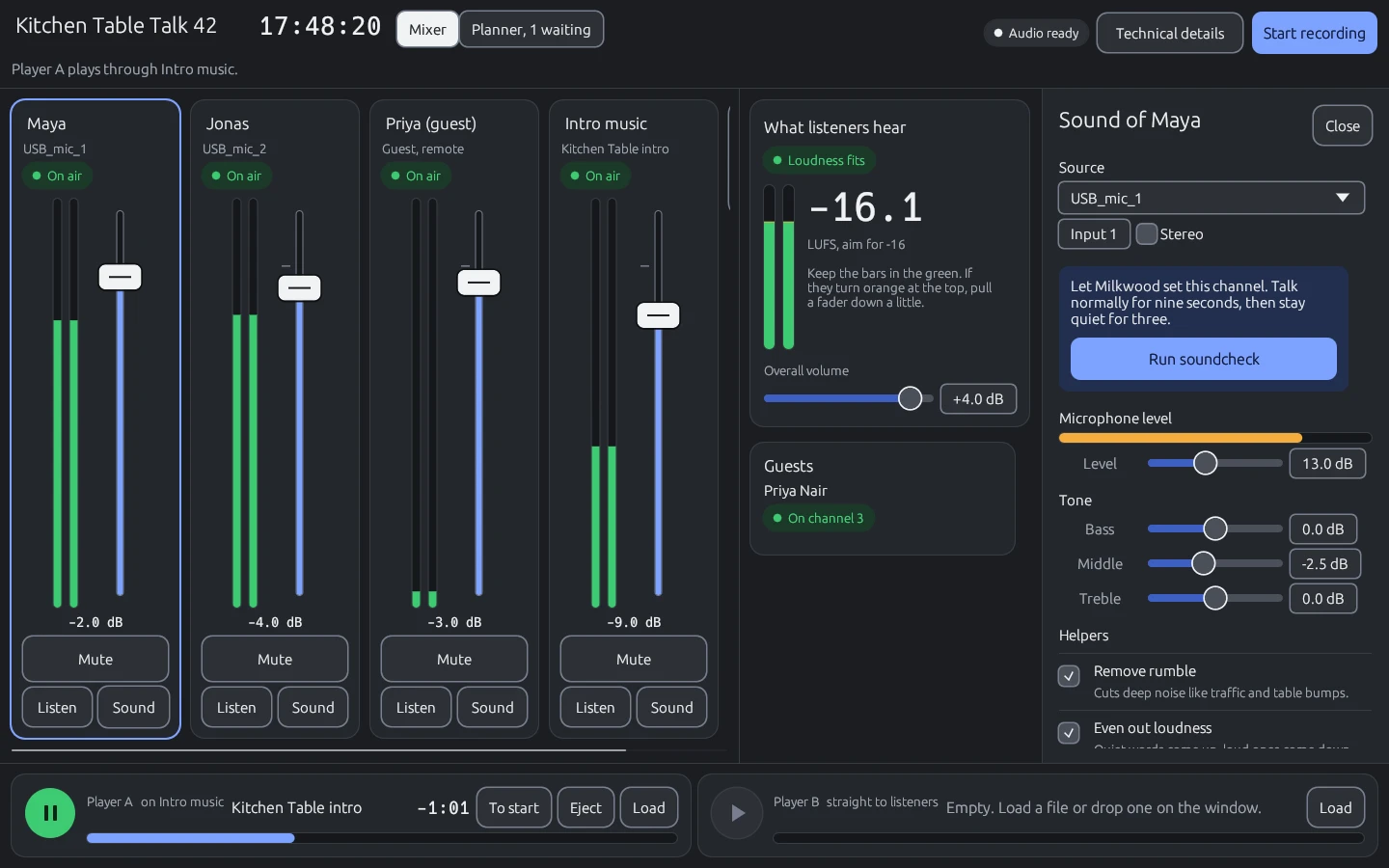
Open one file per voice
When you stop the recording you've got the finished mix and a separate track for Maya, Jonas, Priya and the music. They're Broadcast WAV files that remember when the take started, so your editor lines them up without you sliding anything around.
You can publish the mix as it is. If someone coughed, you can cut it out of their track and leave everyone else untouched.
What you'll use most
- A soundcheck that sets up each voice and tells you what it did
- Guest links with a device check, a backstage and on-air lamps
- A loudness target in plain words
- One track per voice, lined up in your editor
- Two players for your intro, outro and clips
- Several USB mics at once
Not there yet
- Recording on your guest's own device, for bad connections
- Chat and talkback to your guest
- A filler-word warning, and filler-word removal
- Publishing to your podcast host, since Milkwood stops at the files
Record your next episode on Milkwood
Milkwood is free and open source, and the code is on GitHub for you to read, run and change.