Everything Milkwood does, in the order you'll need it
The list starts with what matters on your first show and ends with what an engineer asks about. You can stop reading as soon as your show is covered.
Your first show
This is what you need to sound good and go home with a recording, before you've learned anything about audio engineering.
Channels you can read at a glance
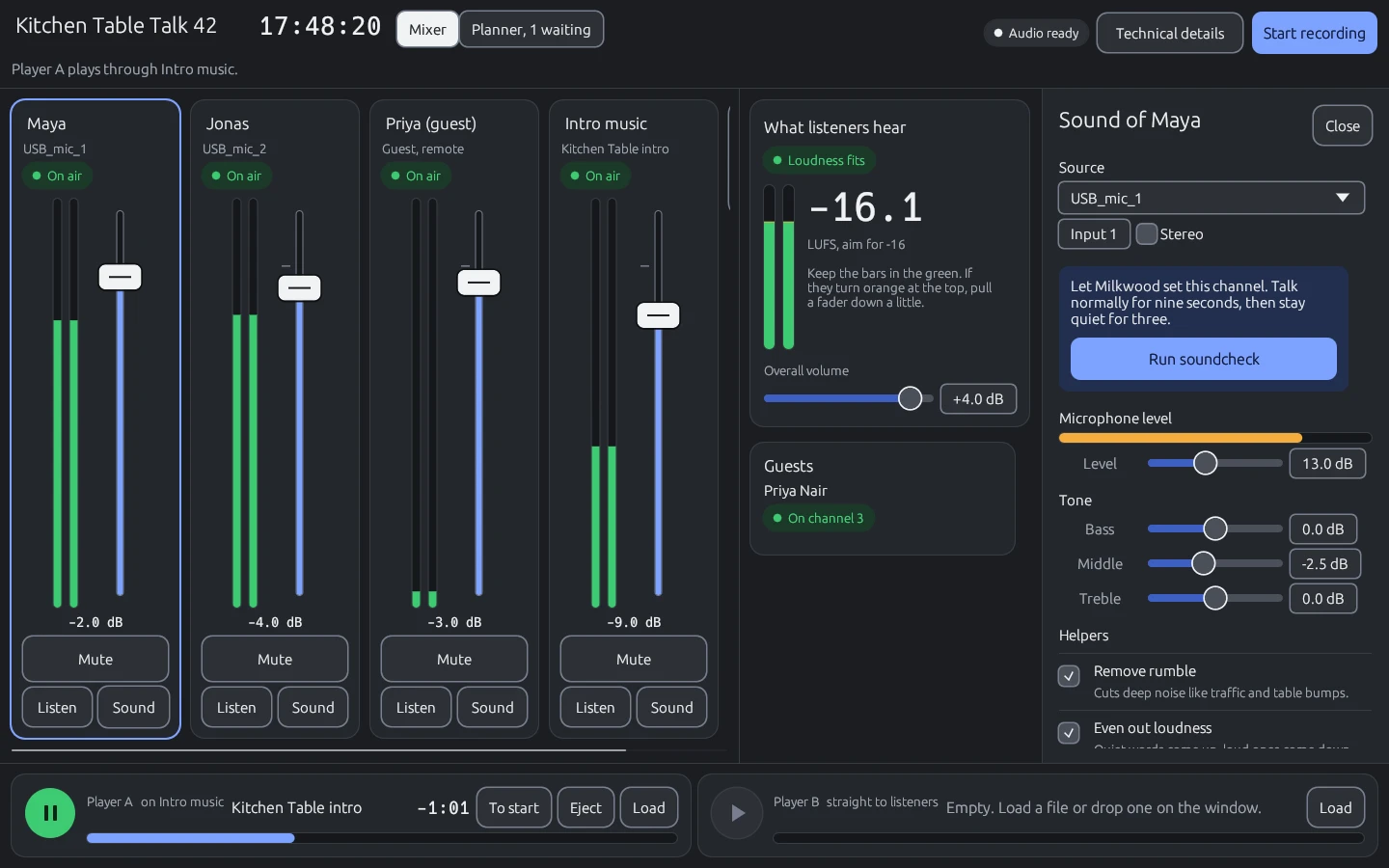
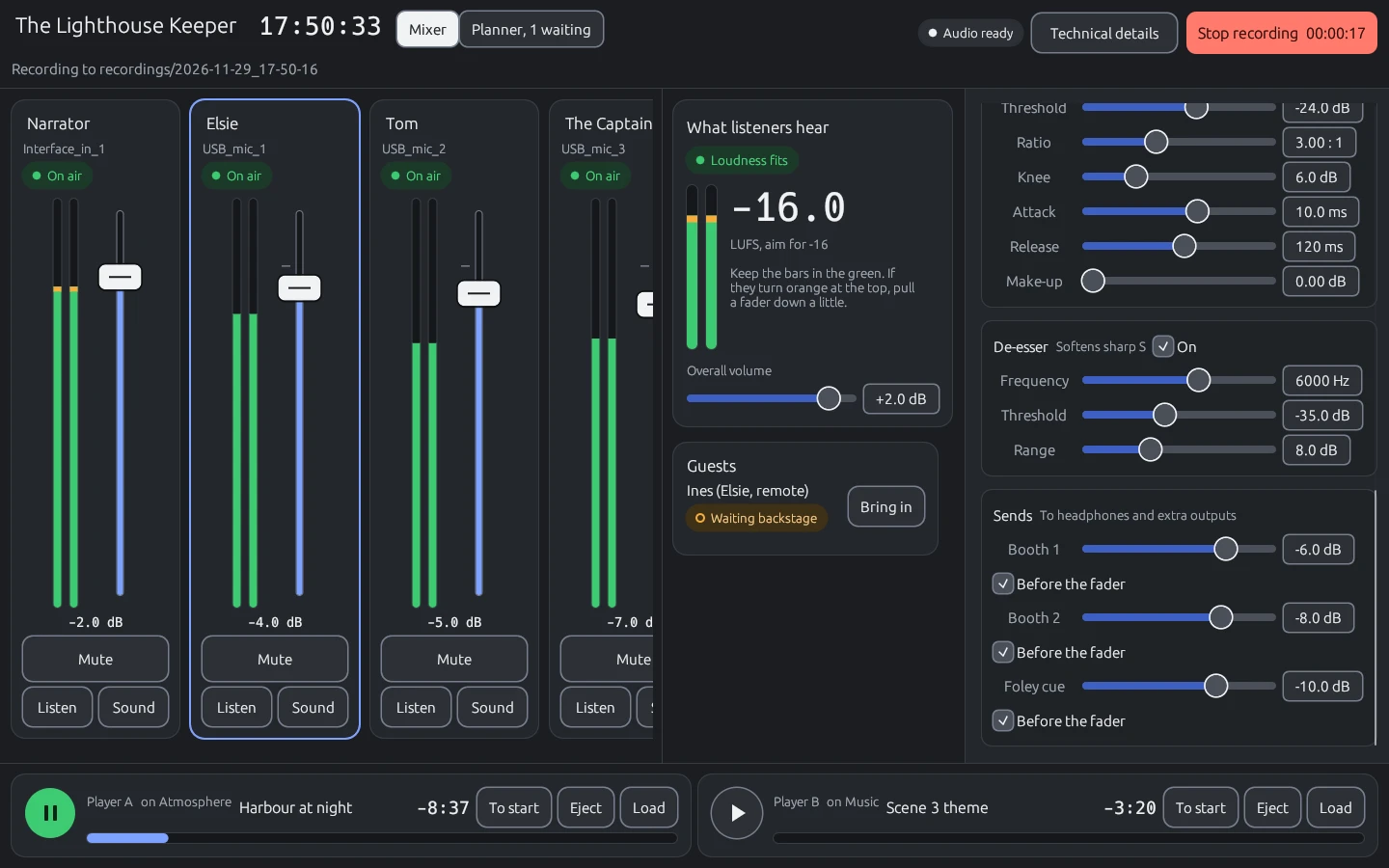
Each channel shows a name, its source, a meter and a fader. A label tells you whether it's On air, Closed, Muted or missing a source.
Mute, Listen and Sound
Every channel has the same three buttons. Mute silences it, Listen puts it on your headphones alone, and Sound opens everything about that voice.
Automatic soundcheck
You talk for nine seconds and stay quiet for three. Milkwood sets gain, rumble filter, tone, compression, gate and de-esser, explains the result, and lets you undo it.
Tone controls in plain words
You get Bass, Middle and Treble, plus switches called Remove rumble, Even out loudness, Quiet between sentences and Soften sharp S sounds.
What listeners hear
The program's loudness shows up as one number with a target and a plain label. A limiter keeps your peaks from distorting.
One-button recording
Press Start recording and the elapsed time runs inside the button, so you can always see that you're rolling.
Two file players
They play MP3, AAC, M4A, FLAC, Ogg Vorbis, WAV and AIFF. Load a file with the button or drop it on the window, then play, pause or jump.
Faders start down
A new channel always starts with its fader down, so a freshly plugged-in mic can't feed back through your speakers.
A show with guests
This is for bringing in people who aren't in the room, and for giving the conversation some structure.
Personal invitation links
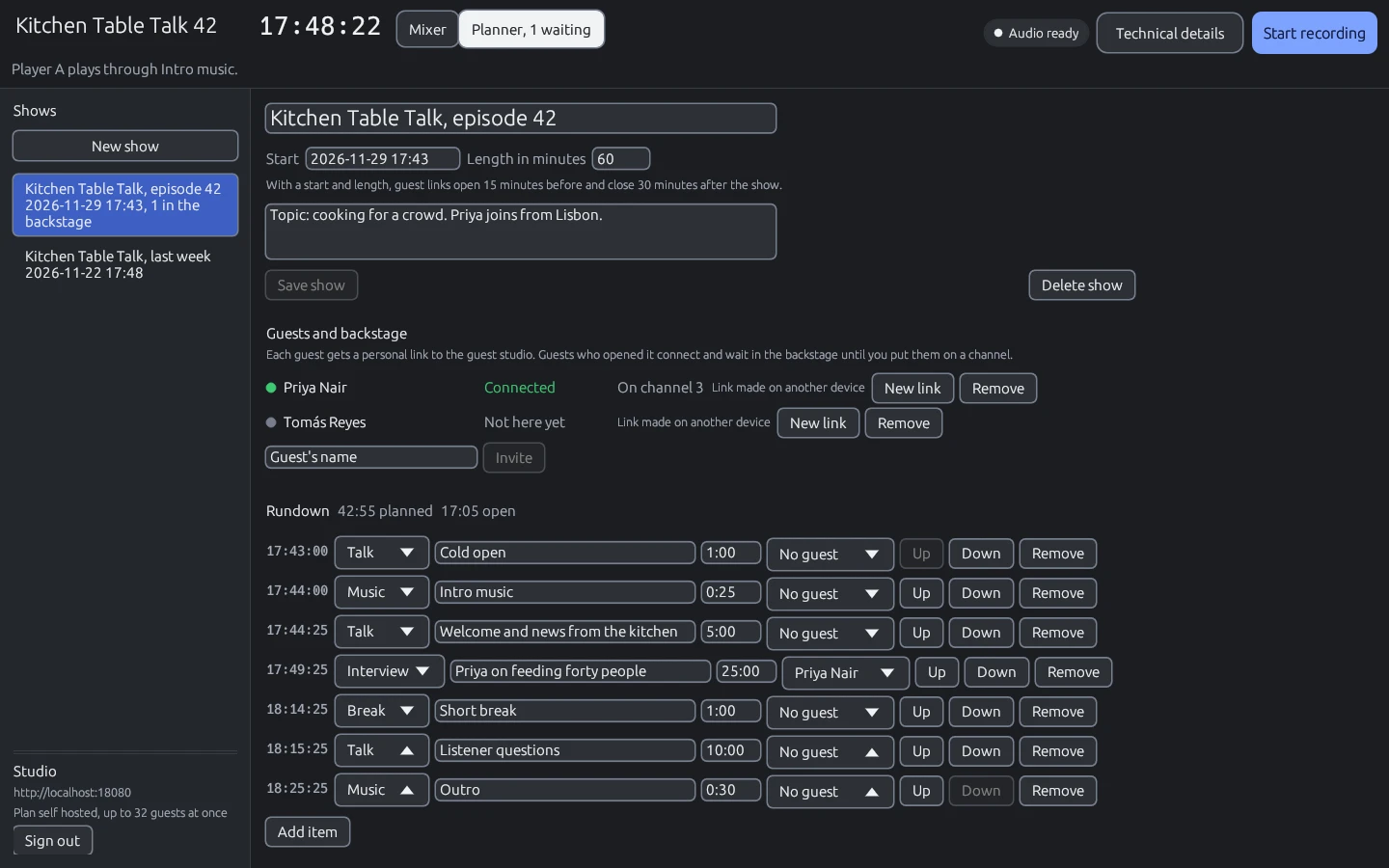
Each guest gets their own link. It opens fifteen minutes before the show and closes thirty minutes after, and you can replace or revoke it whenever you like.
A studio in the browser
Your guest picks a mic, watches the level and tests their headphones. It works on a phone, and they don't need an account or an app.
Backstage
Connected guests wait where nobody can hear them. You bring each one onto a channel with a single click when you're ready.
Mix-minus for every guest
Each guest hears the program without their own voice, which is what stops the echo. Milkwood builds that feed for you.
On-air and recording lamps
Your guest can see whether their channel is open and whether you're recording. They can also mute their own mic.
Up to eight guests at once
Every guest gets a channel of their own, with the same soundcheck and controls as a mic in the room.
Show planner
Give a show a start time, a length and notes, then add rundown items with a type, a title, a length and a guest. Milkwood works out the clock times.
A studio account
You sign in from the mixer. Your plans, guests and links live on the server, so they're there when you sign in on another computer.
A regular production
Once your show goes out every week, these are the things that save you time.
Several audio devices in one mix
You can use any number of input devices at once. Each runs on its own clock, and Milkwood keeps them aligned to your output without an aggregate device.
A track per channel
Milkwood records the program plus every channel pre-fader as 24-bit WAV, so you can fix one voice later and leave the rest alone.
Files with a timestamp
The recordings are Broadcast WAV files that carry the start time of the take. Your editor can place every track at its original position.
Stream Deck
Keys for Mute, Listen, the players and Record show the mixer's state, with pages for more channels. On a Stream Deck + the dials work as faders.
Players on a fader or straight to air
A player goes directly to the program until a channel takes it as its source. From then on the fader, Mute and the channel's EQ apply to it.
Show files
Your whole setup of channels, names, sources and settings is saved as one file. You open it again next week and carry on.
Aux buses
You start with two aux buses for headphone mixes and feeds. Each has a name and a level.
Stereo channels
A channel can take a single input or a stereo pair.
For the engineer in the room
You never have to open any of this, and everything above keeps working if you don't.
The full channel strip
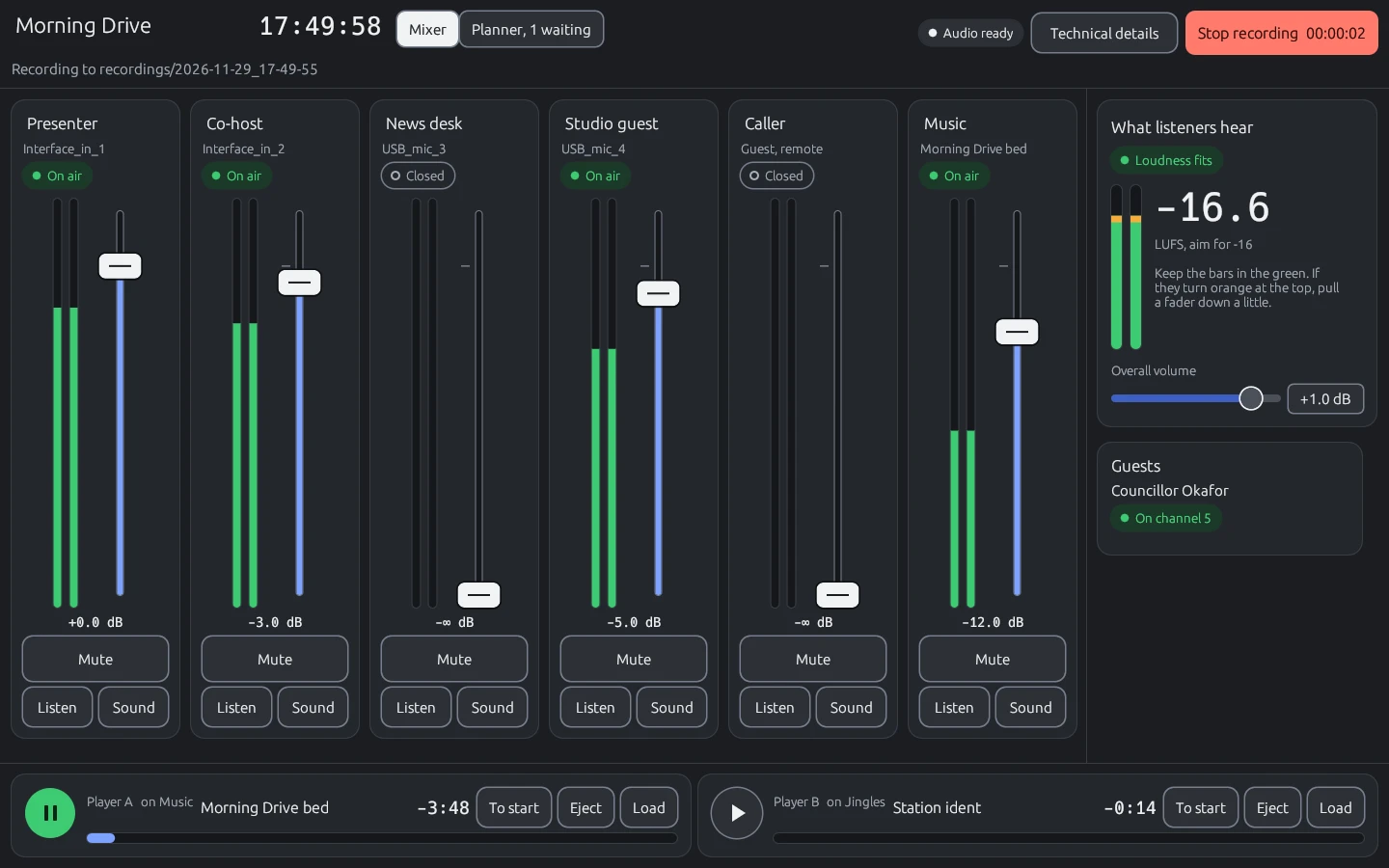
It runs from gain, polarity and high-pass through gate, four-band EQ, compressor and de-esser to pan and fader. You see it as a signal path from top to bottom.
Every value
Threshold, ratio, knee, attack, hold, release, make-up gain, frequency and Q each have a slider with the number next to it.
64 channels and 16 buses
Channels can be mono or stereo. Each one has a send to every bus, and you choose pre or post fader per send.
Program bus
You get a master fader, a limiter with an adjustable ceiling, and EBU R128 metering with momentary, short-term, integrated and true peak.
Clocks in the open
Technical details list each device's drift, buffer and dropouts along with the engine load. It's there for the day something sounds wrong.
Your own server
The guest server ships as a Docker image with Compose files and a health check. It issues TURN credentials for coturn or Cloudflare.
A documented API
Sessions, rundowns, invitations and signaling are an HTTP API with an OpenAPI description. The mixer uses that same API.
Native and written in Rust
Milkwood is a native app with a lock-free audio path. There's no browser inside it, and it doesn't need a sound server.
Who needs what
Take this as a rough guide, because your show may well be different.
| Feature | Podcast | Radio | Audio drama |
|---|---|---|---|
| Soundcheck that sets up a voice | Essential | Useful | Essential |
| Loudness target in plain words | Essential | Essential | Useful |
| Record the mix | Essential | Essential | Essential |
| Guests from a link | Essential | Essential | Useful |
| Rundown and guest list | Useful | Essential | Useful |
| File players | Useful | Essential | Essential |
| Several devices in one mix | Useful | Useful | Essential |
| A track per channel, lined up by time | Essential | Useful | Essential |
| Stream Deck | Useful | Essential | Rarely |
| Aux buses for headphone mixes | Rarely | Useful | Essential |
| Every parameter per channel | Rarely | Useful | Essential |
| Your own server | Useful | Useful | Useful |
Not there yet
These are planned and haven't been built. If one of them is a deal-breaker for you, it's better to know now.
- A library, playlists and automatic start of the next file
- Talkback and chat with your guests
- Recording on your guest's own device
- Your own Stream Deck layout, MIDI and other control surfaces
- Presenter aids such as a teleprompter and a filler-word warning
- Guests by phone call, and apps for phones
- Capturing the sound of another program on your computer
Try Milkwood on your next show
Milkwood is free and open source, and the code is on GitHub for you to read, run and change.