Record your whole cast with every voice on its own track
Milkwood keeps your mics in sync, gives each booth its own cue mix and files every take so it lines up in your editor.
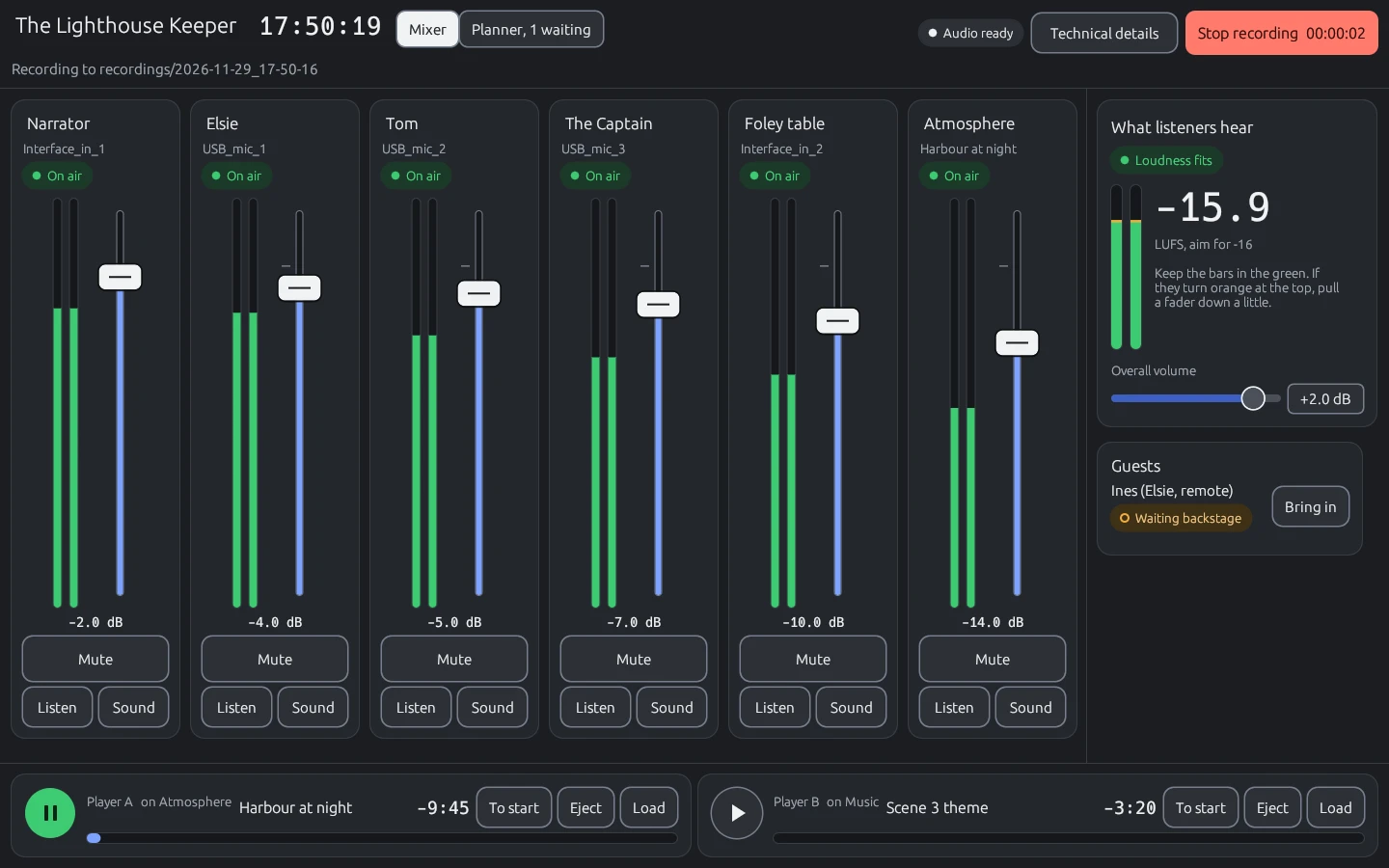
Anyone who's recorded a cast on USB mics has been here
You've got five actors on whatever mics the company owns, split across two laptops because no single program will open them all. By the end of a ten-minute scene the two recordings have drifted, so you nudge every line back into sync by ear.
Meanwhile your foley artist is wearing the same headphone mix as the narrator, music and all. And the best take of the day has a chair creak right across the dialogue, because everybody was on one track.
Here's the same recording day on Milkwood
Use the mics your company already owns
Put the narrator on the good interface, give the actors three USB mics and run the foley table through a second interface. Each of those devices has its own clock, and over a long scene they'd normally drift apart.
Milkwood resamples them against your output the whole time, so they stay in sync. You don't have to build an aggregate device or buy one big interface to get there.
Shape each voice as far as you want to
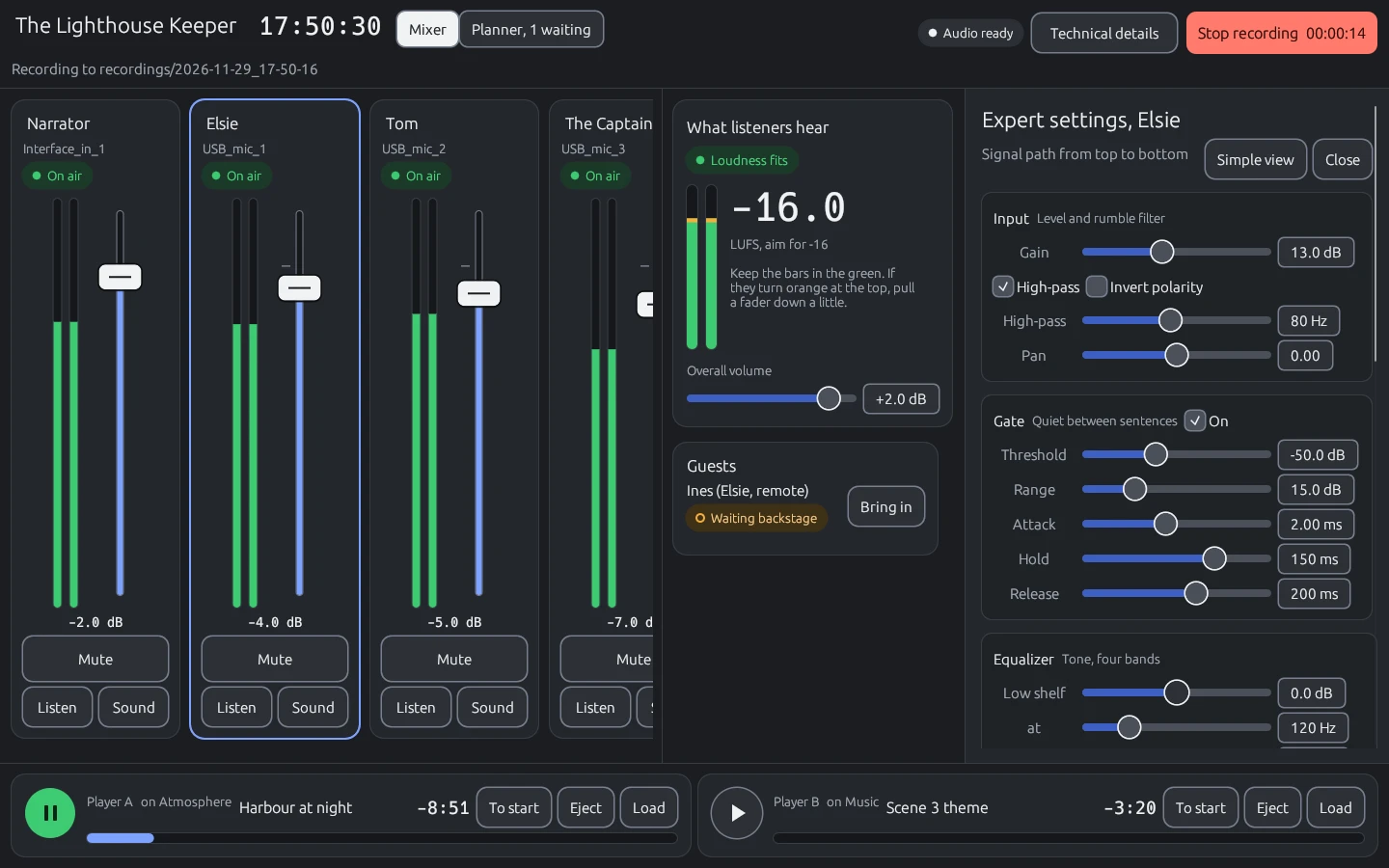
Start with a soundcheck for each actor. When you want more, open Expert settings and you'll find the channel laid out as a signal path, with gain, high-pass, a gate, a four-band EQ, a compressor and a de-esser.
If the Captain needs more weight and less sibilance, you can get there by ear with Bass, Middle and Treble or by dialing in the numbers.
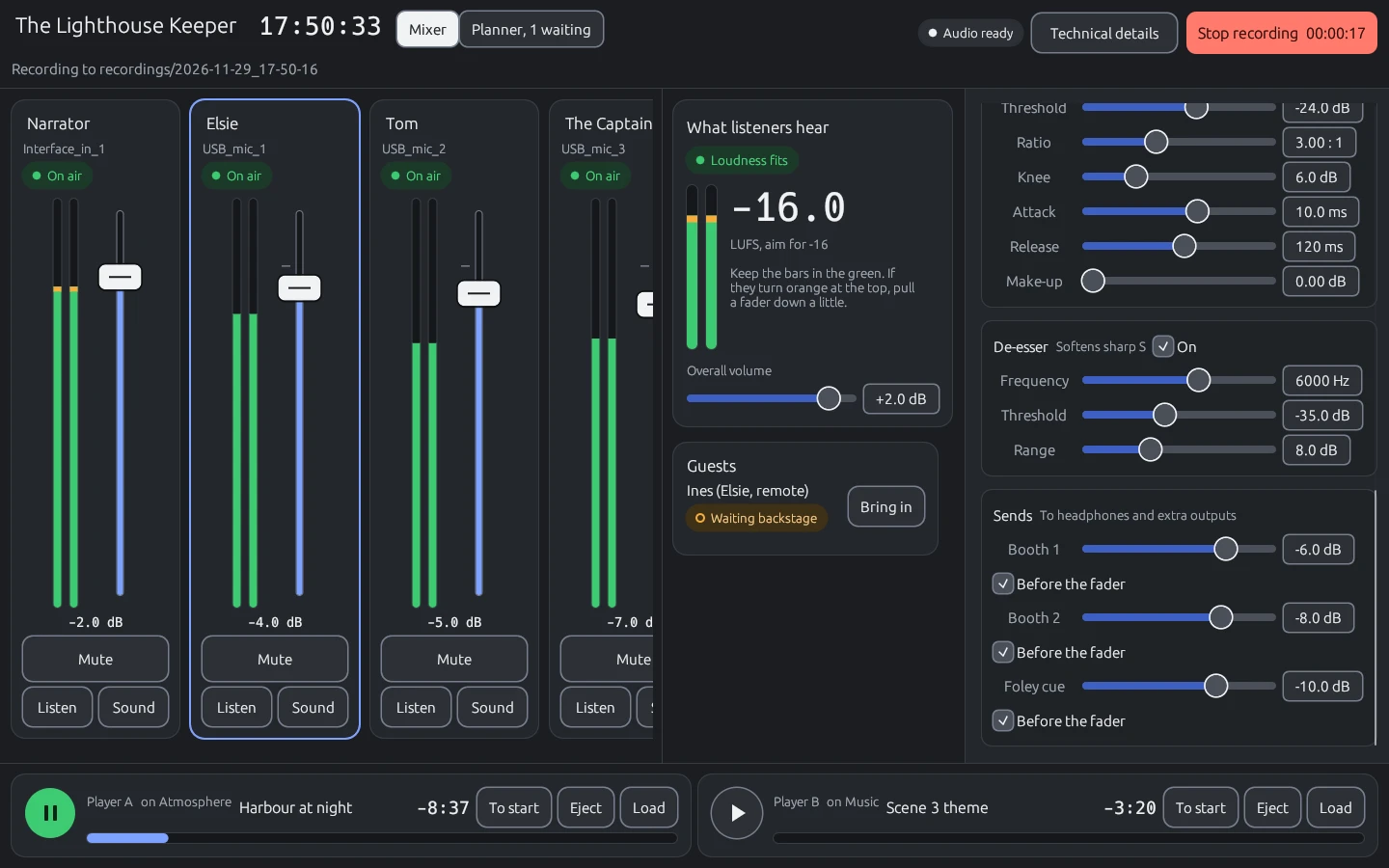
Give every booth its own cue mix
Booth 1 wants the scene partner loud and the atmosphere low, while your foley artist wants dialogue and no music at all. Each of those is an aux bus with its own send from every channel, pre or post fader.
You can have up to 16 of them and name them after your rooms.
Give the cast something to act against
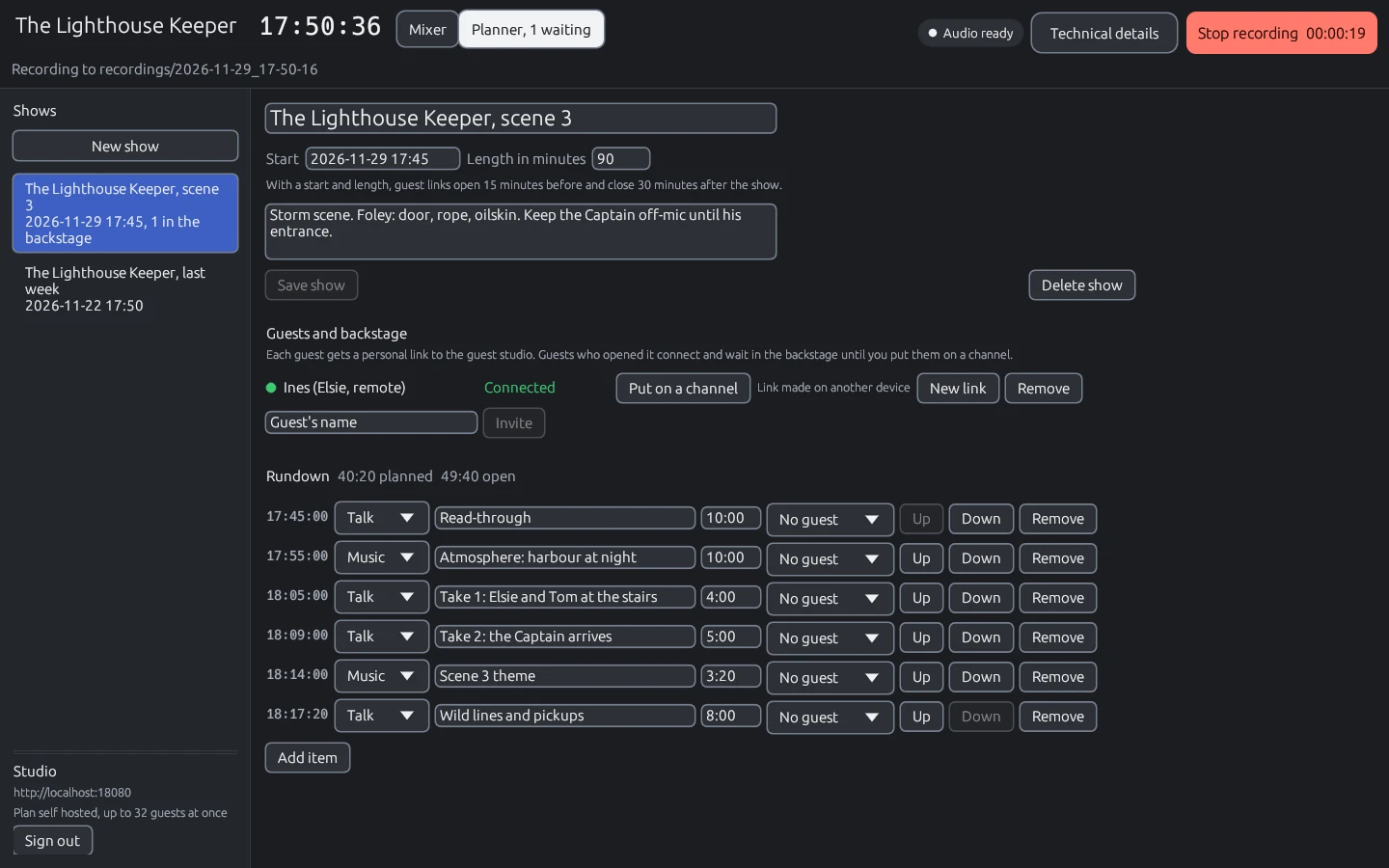
Play the harbour atmosphere from a player so the cast isn't acting into silence. If you keep it on a fader it's recorded on its own track, which keeps it out of the dialogue.
The planner holds the day's list of read-through, takes and wild lines. An actor who couldn't travel joins from a link and waits backstage until her scene.
Open the folder and find the scene already assembled
Every take is a folder with the mix and one 24-bit Broadcast WAV per channel, and each file carries the time the take started. Import them into your DAW at their original timestamp and the voices sit against each other the way they were played.
Milkwood covers the recording day. The montage, the sound design and the final mix still happen in the DAW you already know.
What you'll use most
- Mics from several devices in one session
- A separate track per voice, lined up by timestamp
- A cue mix for each booth
- Gate, EQ, compressor and de-esser on every channel
- Players for atmosphere and music
- Remote actors from a link
- Up to 64 channels
Not there yet
- Talkback from your director to the booths
- Take numbers and notes written into the files
- Recording on a remote actor's own device
- Editing, which stays in your DAW
Record your next scene on Milkwood
Milkwood is free and open source, and the code is on GitHub for you to read, run and change.