Sound like a studio without becoming a sound engineer
Milkwood is an open-source mixer for podcasts, radio and audio drama. It sets up every voice for you, so you can keep your attention on the show.
Free and open source. It's an early release, so expect a few rough edges.
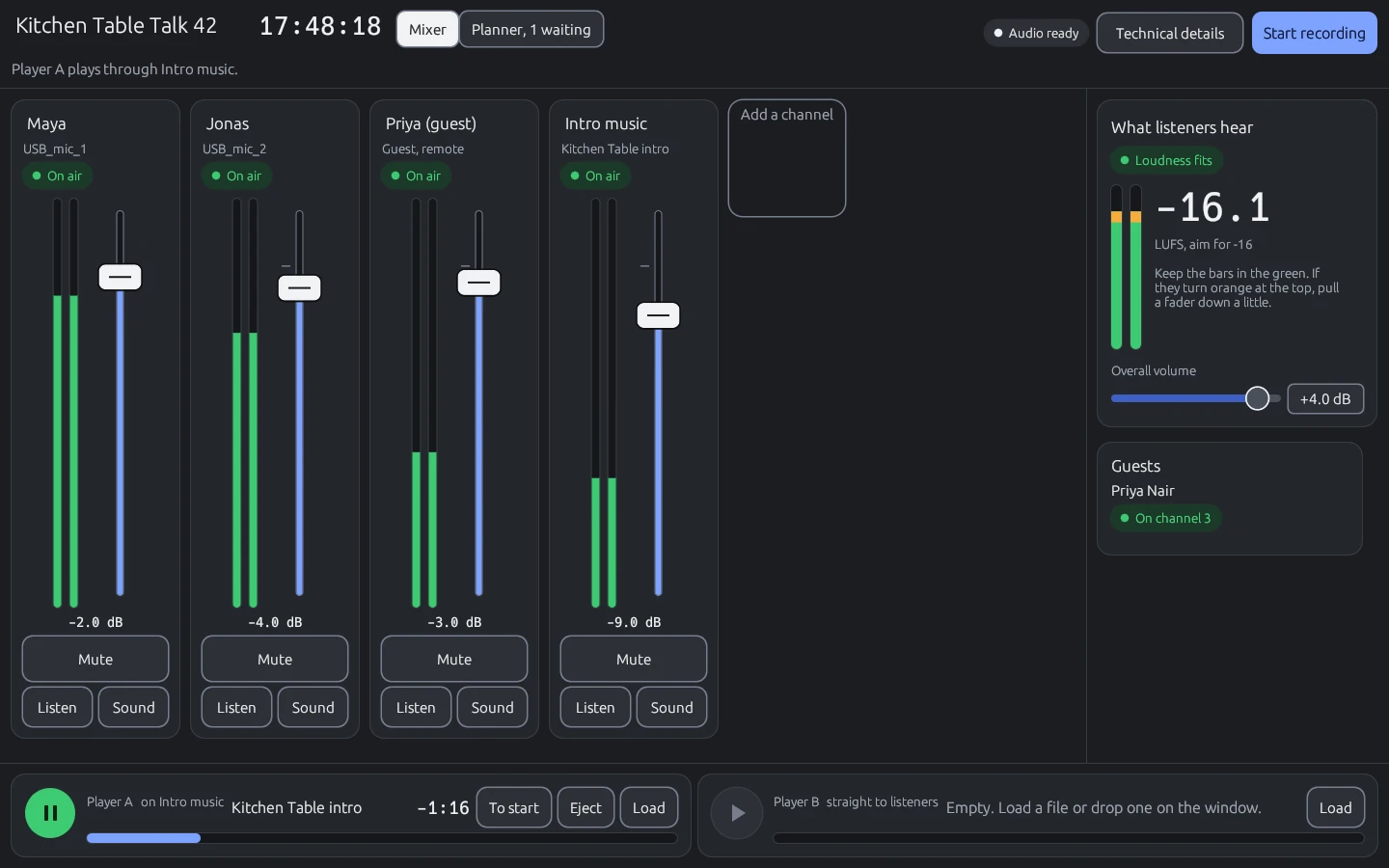
You know how this usually goes
You've got three USB mics on the table, and your recording software will only open one of them. Your guest is on a video call, sounding like they're in a bathroom, and they can hear themselves come back half a second late.
So one mic clips while the other barely moves the meter, and there's room echo and AC hum under the whole take. In post that eats half your afternoon, and if you're live on air you're stuck with it.
Milkwood handles the engineering while you run the show
The soundcheck sets up your voice
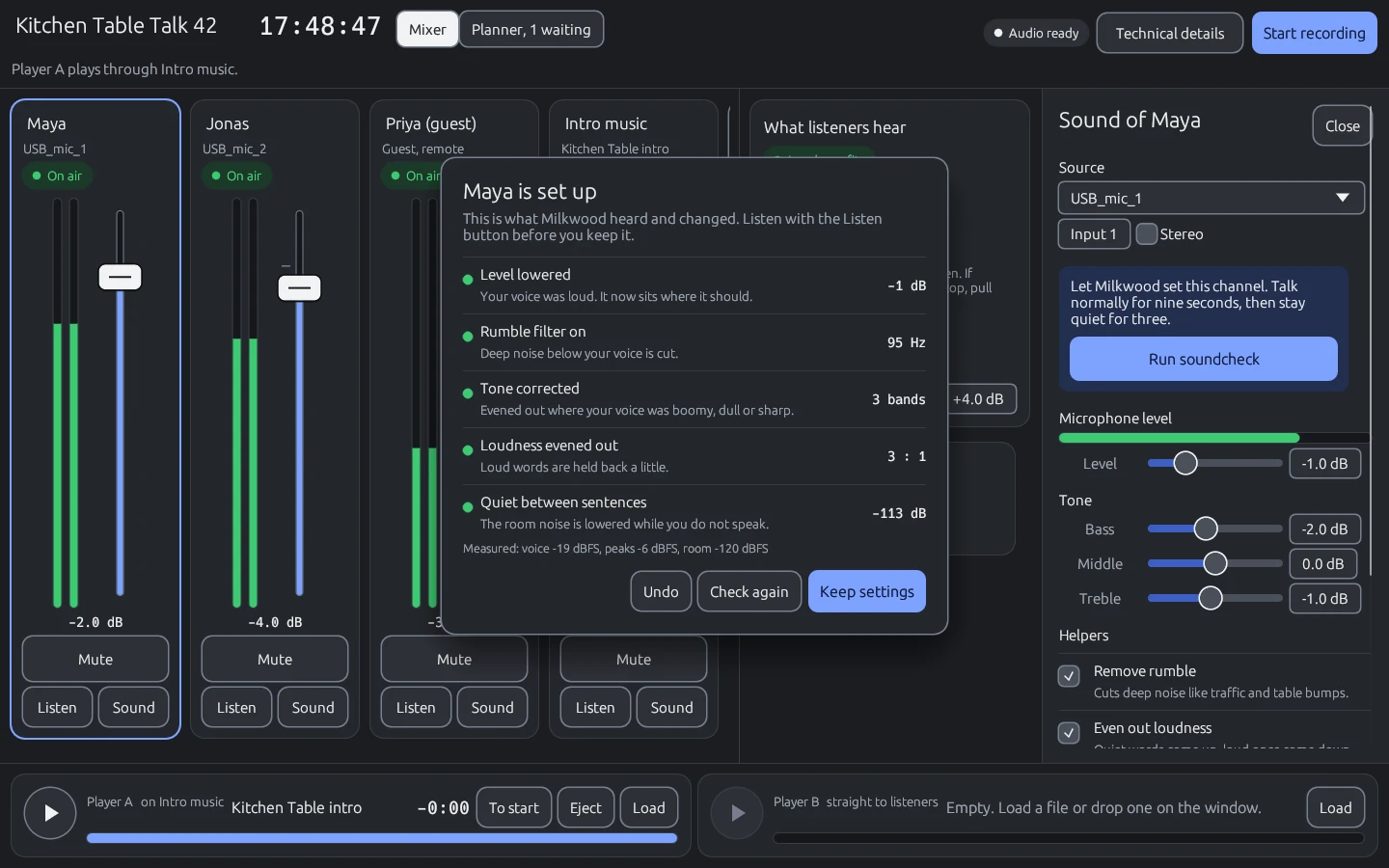
Press Run soundcheck, talk normally for nine seconds, then stay quiet for three so Milkwood can hear the room. It sets your gain, switches on a rumble filter, corrects the tone and adds some compression, which keeps your loud and quiet words closer together.
Afterwards you get a short report in plain words about what it heard and what it changed. Have a listen, then keep the settings or hit Undo.
Guests join from a link
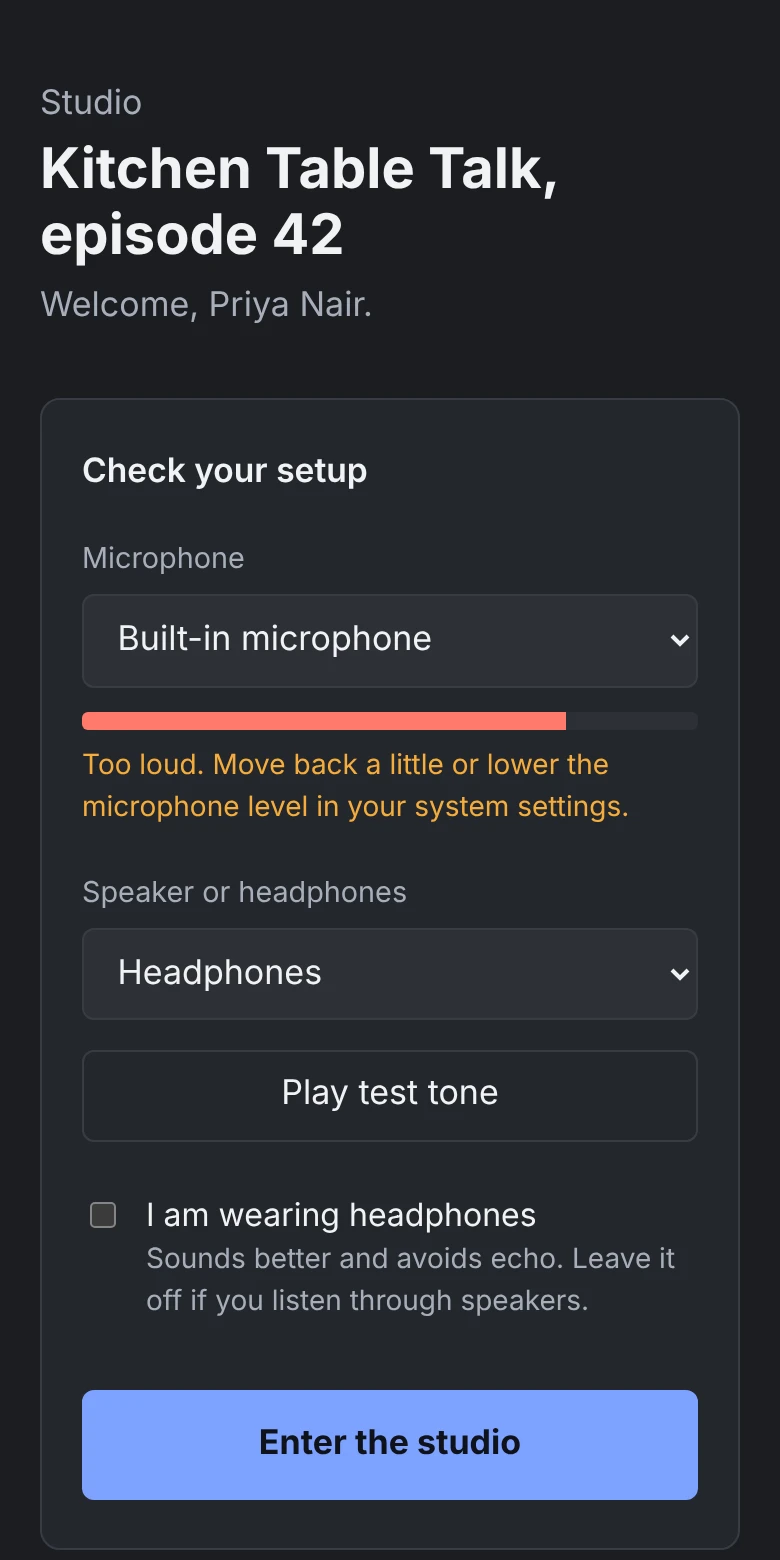
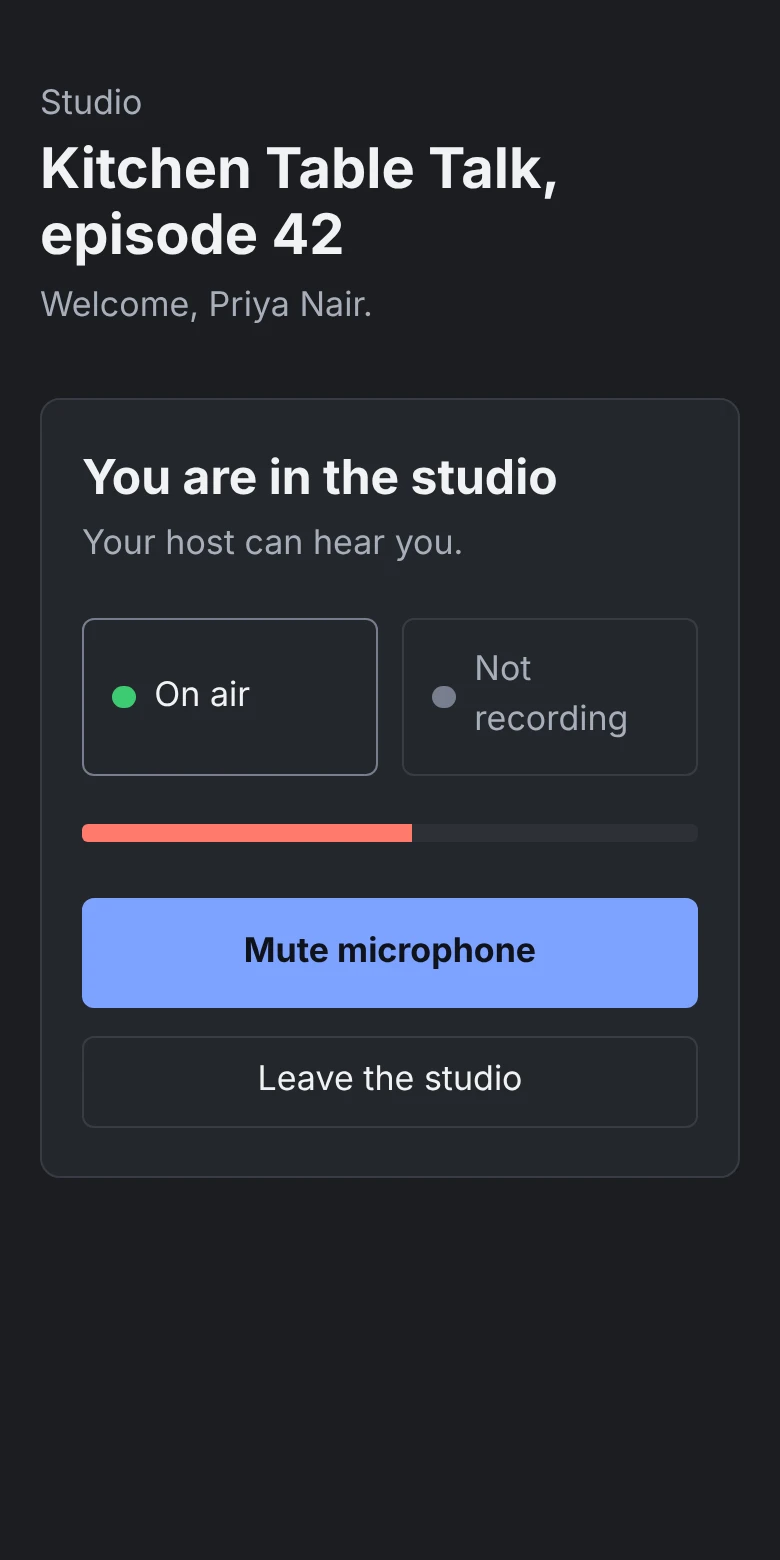
Type your guest's name and send them the link. It opens in the browser on their phone or laptop, where they pick a mic, check their level and test their headphones before they wait backstage.
When you bring them onto a channel they hear the show without their own voice, because Milkwood builds that mix-minus for every guest. Two lamps tell them when they're on air and when you're recording, and you can have up to eight guests at once.
Every mic you own goes into one mix
Three USB mics and an audio interface each run on their own clock, which is why most software makes you choose a single device. Milkwood opens all of them and keeps them in sync for as long as the show runs.
You plug a device in and pick it as the source for a channel. There's no aggregate device to build in your system settings first.
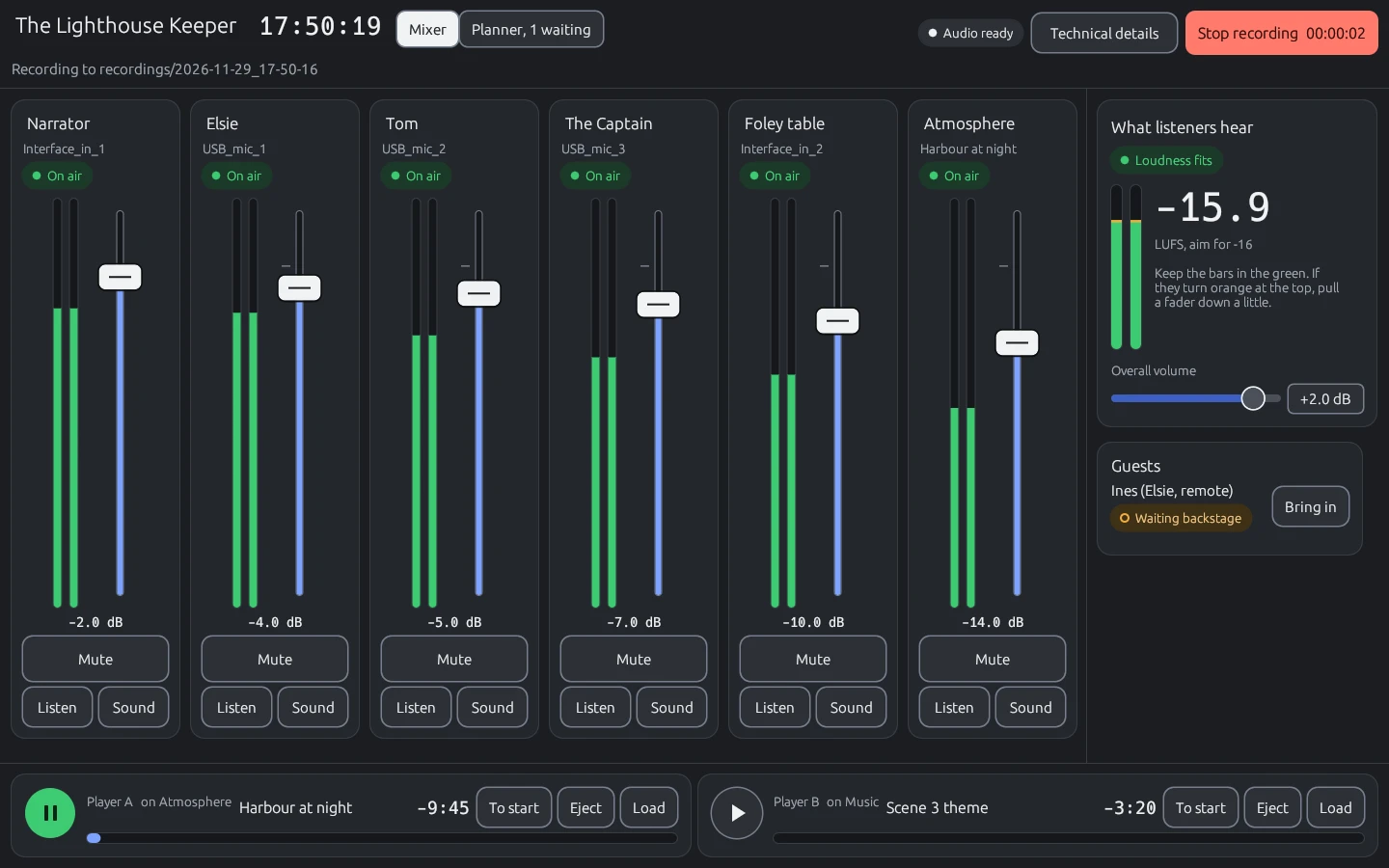
The rest of the desk is there too
Loudness you can read
You get one loudness number with its target next to it, and a label that says Too quiet, Loudness fits or Too loud. It's measured to EBU R128, the broadcast standard.
Tracks that line up
Milkwood records the mix plus one file per channel. They're Broadcast WAV files stamped with the start of the take, so your editor drops them in at the right spot.
Real keys under your fingers
Plug in a Stream Deck and you've got Mute, Listen, the players and Record on keys that show the mixer's state. It works over USB without Elgato's software.
The rundown next to the faders
Your rundown, your guest list and the backstage are one click away from the mixer, which helps when an interview runs long and you need to see what's left.
Two players for music and jingles
They take MP3, AAC, FLAC, Ogg Vorbis, WAV and AIFF. You can put a player on a fader or let it play straight to your listeners.
Yours to run
The mixer and the guest server are both open source. If you'd rather not depend on anyone else, you can run the server yourself with Docker on your own domain.
Start simple and go deeper when you're ready
The first screen shows names, levels and three buttons per channel. Everything else is one step further in, and you can run a whole show without ever going there.
Your first show
Faders, Mute, soundcheck, loudness and a record button.
A show with guests
Guest links, the backstage and a rundown.
A regular production
Several devices, multitrack recording, Stream Deck and headphone mixes.
Expert
Every parameter, the device clocks and your own server.
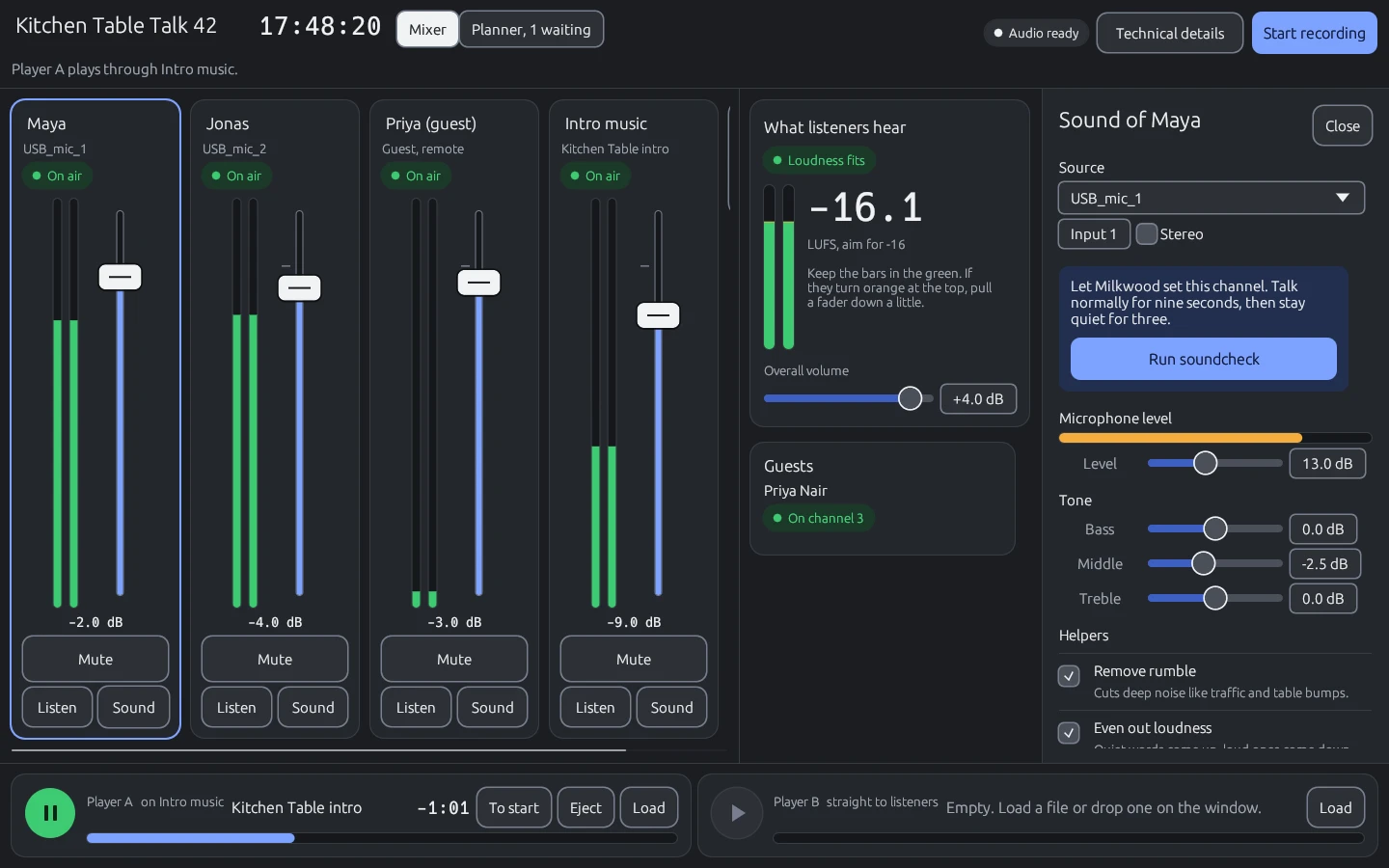
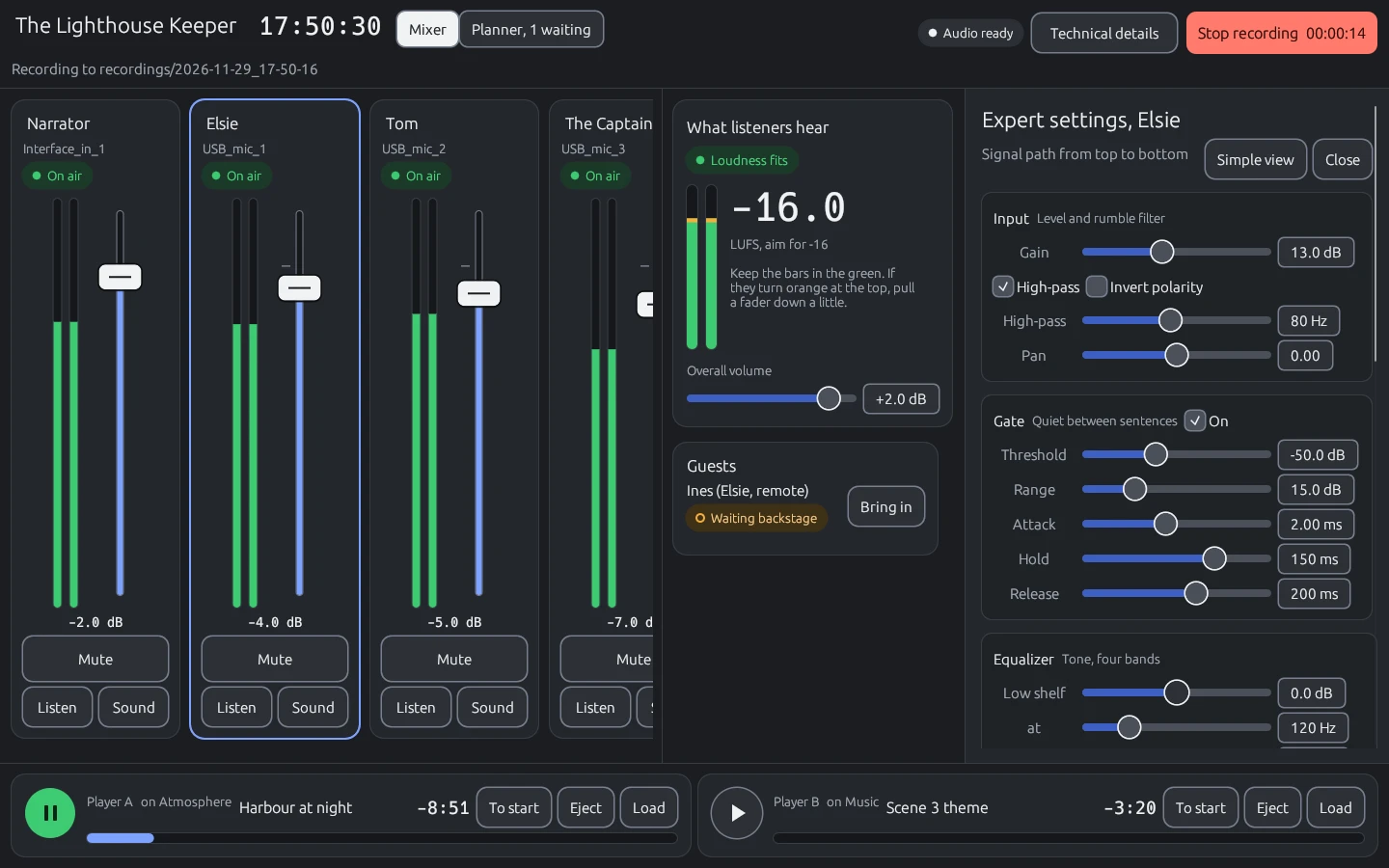
See it on your kind of show
Podcast
Two hosts at a table and a guest far away, with every voice at the same level and on its own track.
Walk through a podcast episode
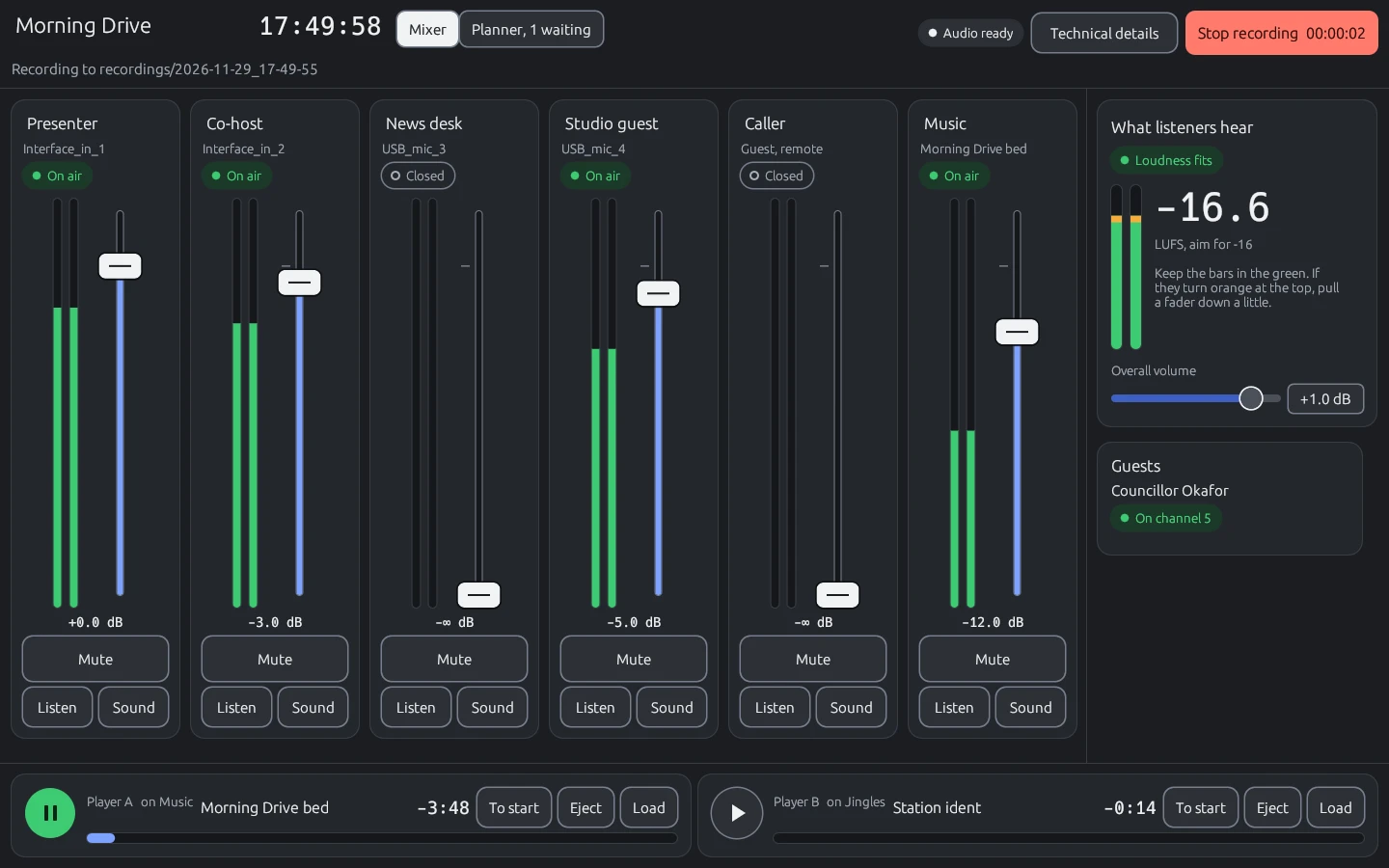
Radio
A live hour with presenters, a caller on hold, and your beds and idents ready to fire.
Walk through an hour of live radio
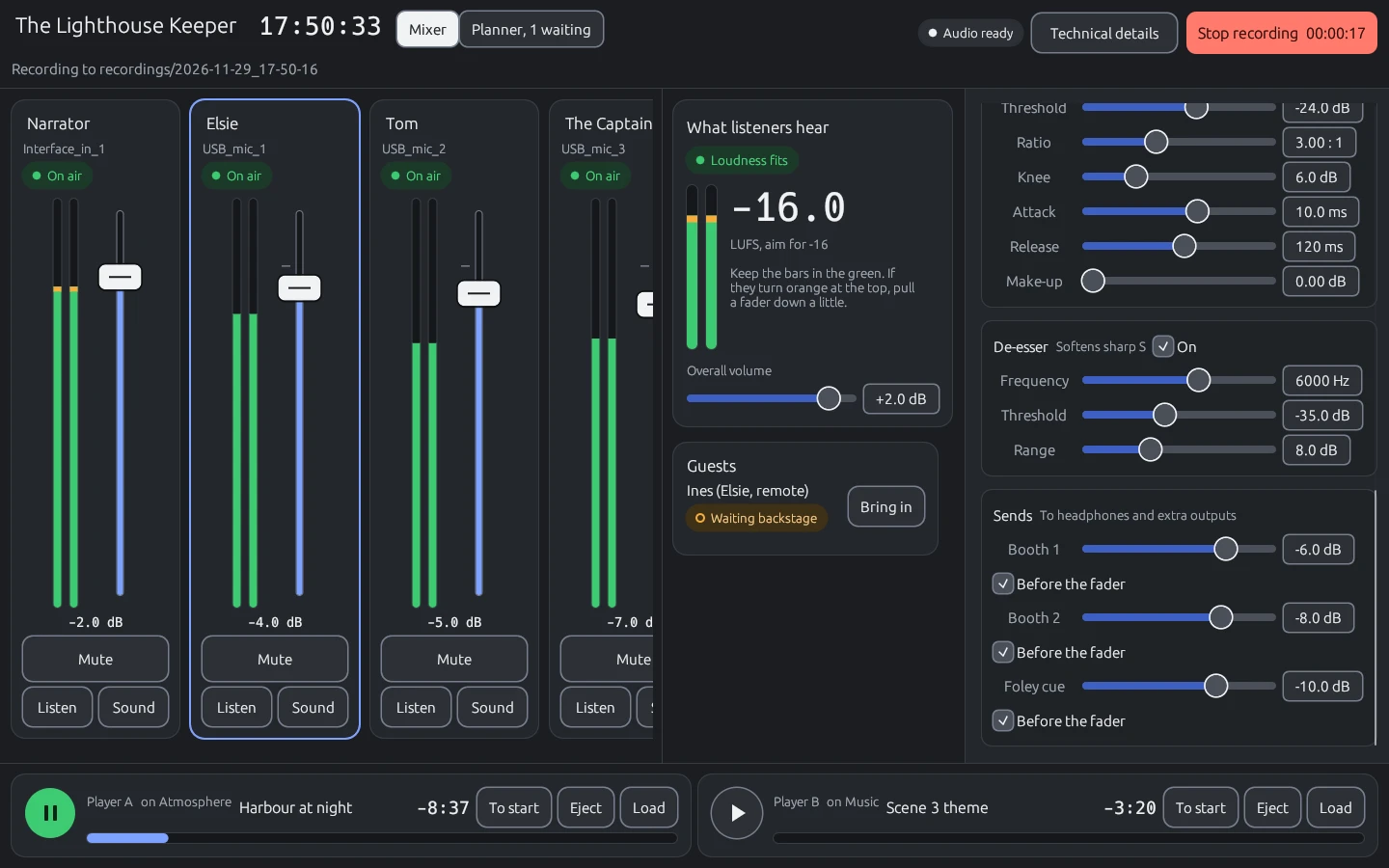
Audio drama
A full cast on the mics you already own, with a cue mix for each booth.
Walk through a recording day
Where Milkwood stands today
Milkwood is young. It mixes, records and connects guests today, but we've tested it against simulated devices more than in real studios, so you may hit rough edges on real hardware.
If you do, please tell us what happened and which gear you were using.
Not there yet
- Playlists and automatic start of the next file
- Talkback and chat with your guests
- Recording on your guest's own device
- Your own layout for the Stream Deck
- Guests by phone call
Try Milkwood on your next show
Milkwood is free and open source, and the code is on GitHub for you to read, run and change.